
Statement Builder
Recently updated on December 22nd, 2025 at 10:55 am
The statement builder will help ensure the accuracy of the petition.
- The single questionnaire is dedicated to the statement so there are no other questions.
- The screen is divided into two panels: – The user/client will enter the information on the left side of the screen. – As the user enters the appropriate information, they or you will see the statement being crafted on the right side.
- This is done by providing a summary.
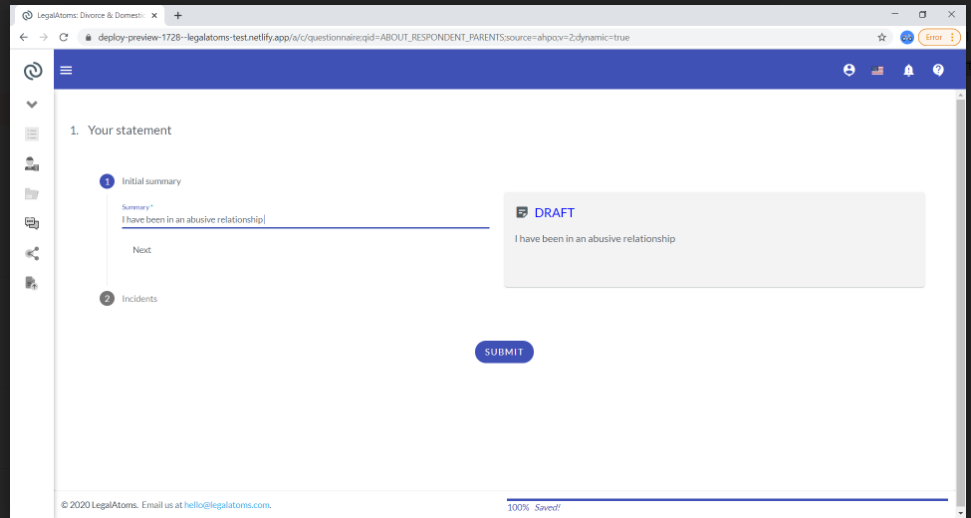
Steps of Incident
- The user then will enter a list of the incidents.
- For each incident, the following will need to be entered:
- A date
- Whether the date is approximate
- What happened
- How it made them feel
- Who else saw it
- And if they have any pictures or messages etc
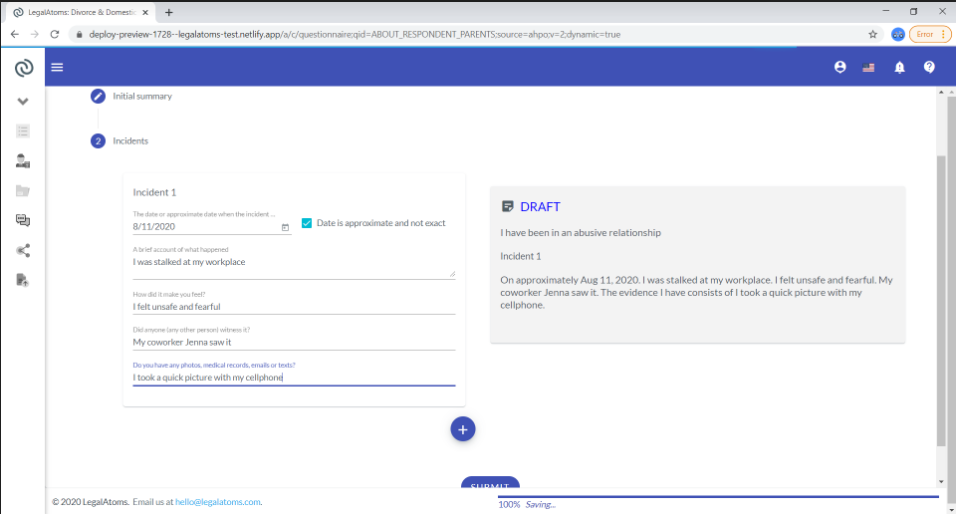
After the user has filled in everything they would then be able to edit the final copy before they submit it.
About Post Author
