
Recently updated on July 29th, 2026 at 11:35 am
Legal aid nonprofits can help more victims while giving each person better support.
Court self-help centers can serve more people without greatly increasing their budgets.

Prepare Via Guided Questionnaires
LegalAtoms makes it easier to prepare civil and family court documents.
Users answer simple questions in plain English. The system also uses helpful images and trusted legal information to guide them step by step.
LegalAtoms is designed with trauma-informed principles, so people can use it during stressful or unsafe situations, including harassment or violence.
Our goal is simple: if someone can use Facebook, they should be able to use LegalAtoms.
Discover and Make Live Appointments
Staff at pro bono organizations can create free professional profiles, similar to LinkedIn profiles.
They can also connect their Google or Outlook calendars, or use the built-in LegalAtoms calendar. This makes it easier for clients to schedule help, especially when they need a same-day emergency order.
Seattle University School of Law also uses LegalAtoms to run a successful clinic. Through this clinic, victims of gender violence can have their declarations reviewed by law students under the supervision of an attorney.
Integrated with Tyler, Journal Technologies.
LegalAtoms connects with leading court e-filing and case management systems, including Tyler File & Serve, Journal eCourt, and the Florida Courts E-Filing Portal.
After users complete the online questions, LegalAtoms creates the needed court documents. Users can then add required payments, submit the filing, and later receive stamped copies when the clerk accepts the documents.
Case study: Snohomish County Superior Court
In 2020 the Snohomish County Superior Court launched LegalAtoms.


How it works for the Self Help Staff
LegalAtoms will work with lawyers to create self-help content that is customized for your state and court.
We can also build guided online interviews so the public can prepare their own court documents step by step.

Members of the public can contact your office through the portal after many of their basic questions have already been answered.
For walk-in clients, staff can also ask them to use LegalAtoms before taking a service ticket. This helps clients get started on their own and reduces the time staff spend answering routine questions.

Staff can view client documents online.
Clients can add questions next to specific lines or sections in the court forms. This helps staff understand the exact issue and answer all of the client’s questions at one time.

E-file court documents and track the filing status online.
LegalAtoms connects with case management systems used by many courts, so users can follow the progress of their filing through the LegalAtoms portal.
E-Filing built in
LegalAtoms officially connects with Tyler File & Serve, Journal Technologies eCourt, and the Florida Courts E-Filing Portal as an Electronic Filing Service Provider, or EFSP.
EFSP programs allow approved third-party systems to connect with court e-filing systems with the court’s permission.


Friendly design
Here are some actual screenshots showing the simple design where "less is more".
iPhones made smartphones easy for almost everyone to use.
In the same way, LegalAtoms makes court filing easier through friendly online interviews and built-in e-filing into systems like Tyler and Journal Technologies.
As more people use LegalAtoms, courts can reduce phone calls and in-person visits for routine help. This gives staff more time to focus on the parts of a case that need their judgment and experience.


Staff can assist 10x the clients in the same time
LegalAtoms ideal is to let professionals focus on intellectual aspects and cut mechanical work


Self Service features to cut mechanical work
LegalAtoms ideal is to let professionals focus on intellectual aspects and cut mechanical work

You can choose which clients are eligible for your services. You can set rules based on case type, location, language, and other details. For example, you can choose to help people in certain domestic violence situations or rape survivors who are seeking a U Visa.

Clients can keep all of their case documents in their LegalAtoms account and access them when needed. LegalAtoms creates court documents in both Word and PDF formats.
Clients can book appointments directly on your calendar. You can set rules for scheduling, such as how far in advance clients must book, how much time is needed between appointments, and which days and hours are available.

Clients can book appointments directly on your calendar. You can set rules for scheduling, such as how far in advance clients must book, how much time is needed between appointments, and which days and hours are available.
Clients can get reminders by email and text message for important dates. This can help them remember hearings, biometric appointments, and other key steps in their case.
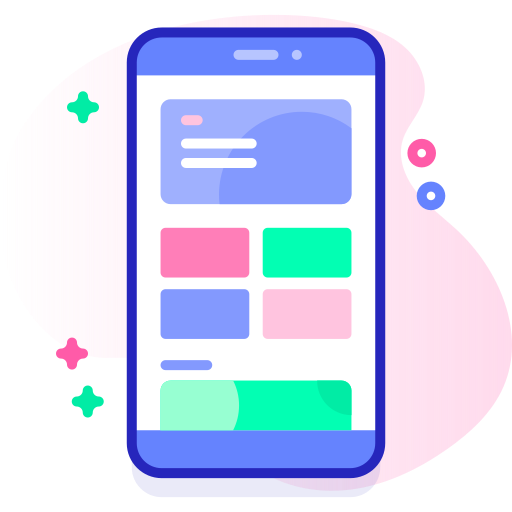
Access the entire website using any mobile, tablet or laptop
Coverage for your entire jurisdiciton
Not everyone can reach the court during court hours, especially with courts closed during lunch break.

Online court services can help people who may have a hard time coming to court in person.
This may include people who:
Do not have a car
Work hourly or blue-collar jobs and cannot easily take time off
Are still learning about their legal options
Do not speak English as their first language
Are undocumented and may feel afraid to contact the legal system
Are comfortable using technology and expect court services to be available online, just like many other services
Productivity features for Self Help Staff
LegalAtoms provides online questionnaires in simple language to gather client information. After the questionnaires are filled,
LegalAtoms creates the MS WORD and PDF versions of the court forms
Friendly questionnaires
LegalAtoms includes ready-to-use questionnaires for many case types, such as domestic violence protection orders, U Visas, family law cases, and more. Clients answer simple questions online. LegalAtoms then uses their answers to create the correct official forms. For example, LegalAtoms can create USCIS forms for U Visa cases or Washington State pattern forms for divorce cases in Washington.

Guided experience
Users get help as they answer questions. LegalAtoms explains legal terms in plain language, shows the next steps, and provides helpful information from carefully selected trusted sources.

Notifications
Get simple notifications when clients complete their questionnaires or leave a question for you. These alerts work like social media notifications, so you can quickly see when a client needs your attention.

Templates
Save common responses as templates. You can create as many templates as you need and use them as a starting point when replying to clients.

Question level conversations
Clients can leave questions next to any question in the online interview. You can see each client question with the related form question, so you understand the full context. You can then answer each question one by one in a simple chat-style conversation. The client will receive a notification when you reply.
Pleading Documents
Download official pleading versions with numbered lines