
The Emails New York Family Court Sends After EDDS, and What Each One Means
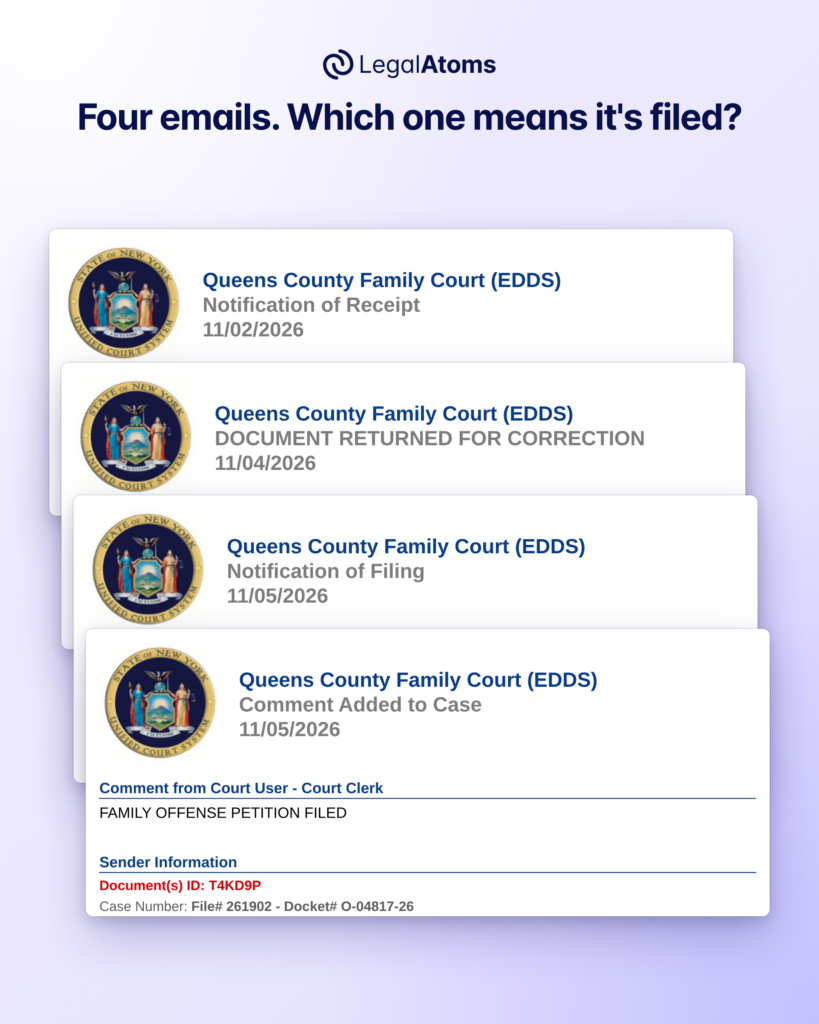
After you send an order of protection petition through EDDS, New York Family Court answers by email. There are four kinds. They all come from the same sender and look almost the same, but only one tells you your petition is filed. The first two lines of each email tell you which one you have.
If LegalAtoms sent your petition, these emails show up in your case in order, each with a short note on what it means.
Start your order of protection
If you are in danger now, call 911. For confidential help 24 hours a day, call the New York State Domestic and Sexual Violence Hotline at 1-800-942-6906 or text 844-997-2121. In New York City, you can also call 1-800-621-4673.
The names and details in these screenshots are made up. They are not from a real case.
The four EDDS emails at a glance
| Is the petition filed? | Do you need to do anything? | |
|---|---|---|
| Notification of Receipt | No. A clerk hasn’t reviewed it yet. | No. Keep the Document(s) ID. |
| Document Returned for Correction | No. | Yes. Fix what the clerk asks for and send it again. |
| Notification of Filing | Yes. | Keep the docket number and watch for your court date. |
| Comment Added to Case | Read it. Some courts announce the filing this way. | Read all of it, because it may give a date. |
Notification of Receipt
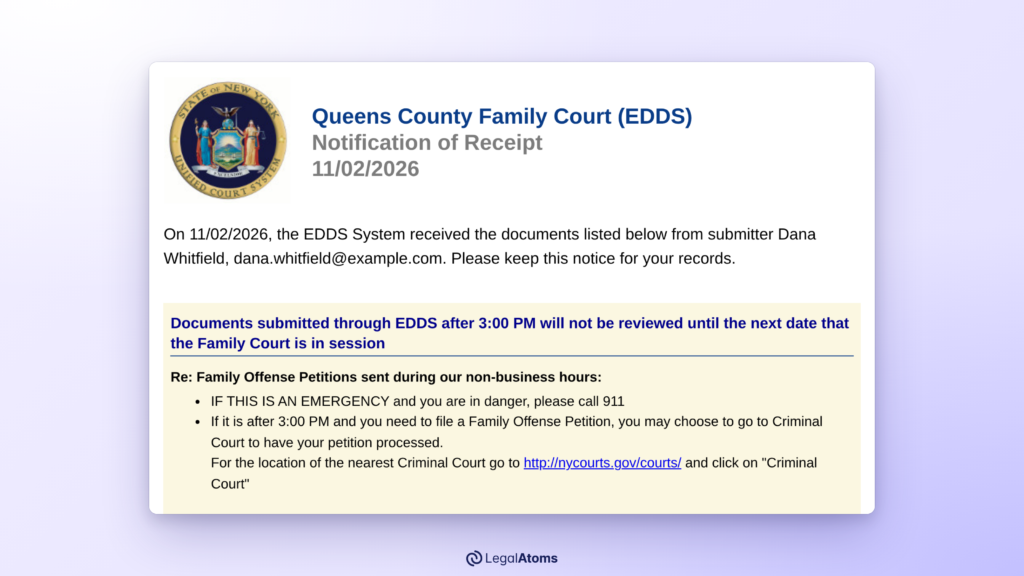
What it says
On 11/02/2026, the EDDS System received the documents listed below from submitter Dana Whitfield… Please keep this notice for your records.
What it means
This one is automatic. The system has your documents, but no clerk has looked at them and your petition isn’t filed yet. The court’s guide says that after the receipt “the court may either accept your documents … or return them for correction if a problem is identified”.
What to do
Nothing yet. Keep the six-character Document(s) ID near the top. If no second email comes, don’t assume the petition was filed: the court’s manual says “the sender should not assume that the filing has occurred”. You can write to the court at the address on the receipt to ask. That address takes questions only, not documents.
Document Returned for Correction
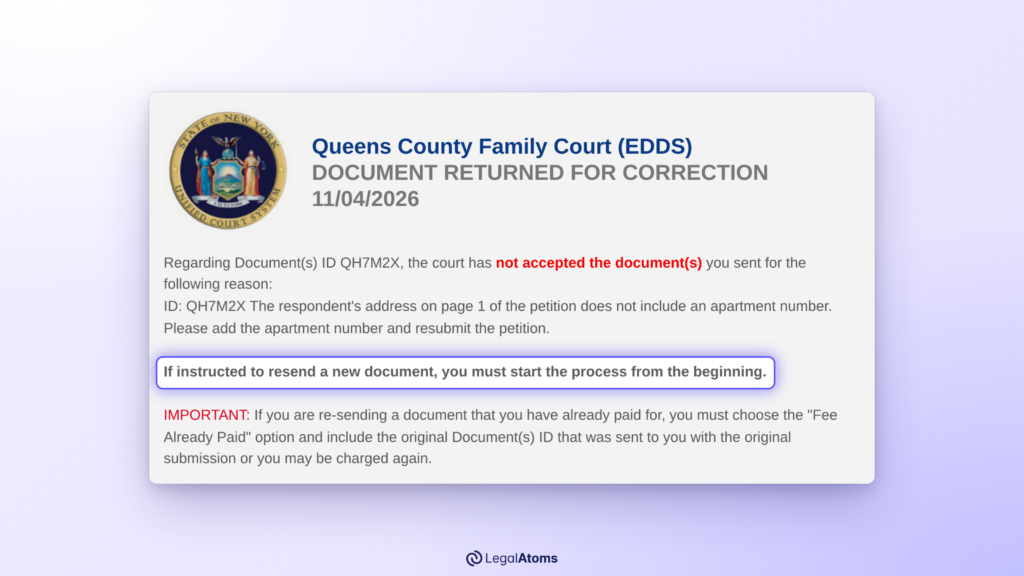
What it says
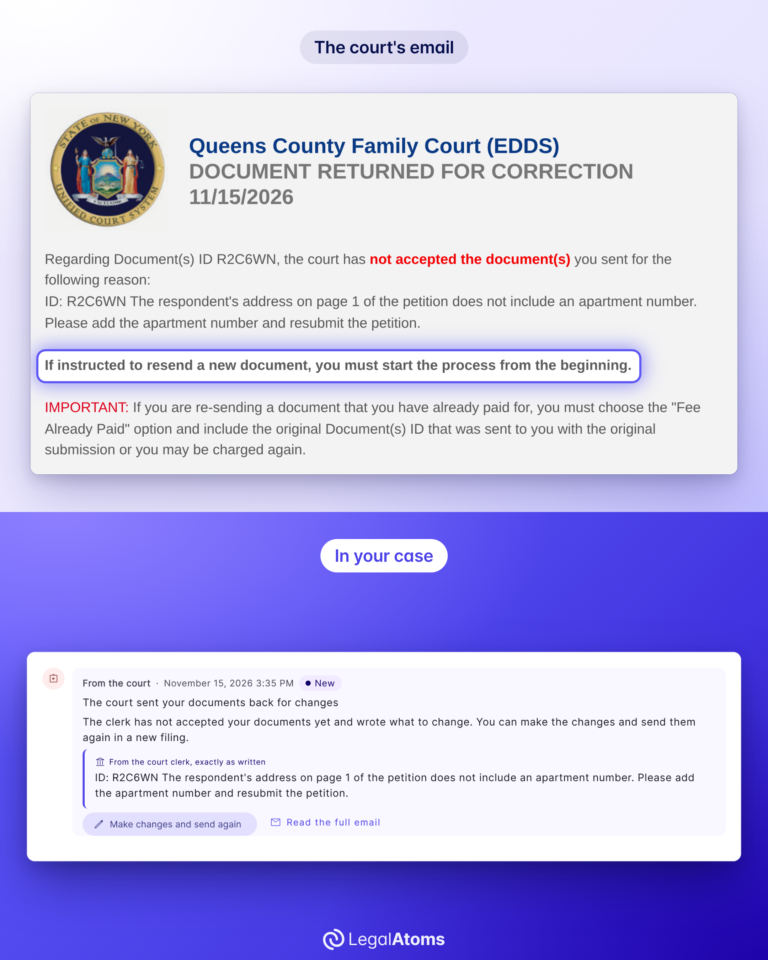
Regarding Document(s) ID QH7M2X, the court has not accepted the document(s) you sent for the following reason:
The clerk’s reason comes right after it.
What it means
A clerk read your papers and wants something changed. It isn’t a denial, and no judge has decided anything. The whole delivery comes back, including the documents that had nothing wrong with them.
What to do
Fix what the note asks for and send your papers again. The email says “If instructed to resend a new document, you must start the process from the beginning.” We go through it step by step in Document Returned for Correction in EDDS: What to Do.
Notification of Filing
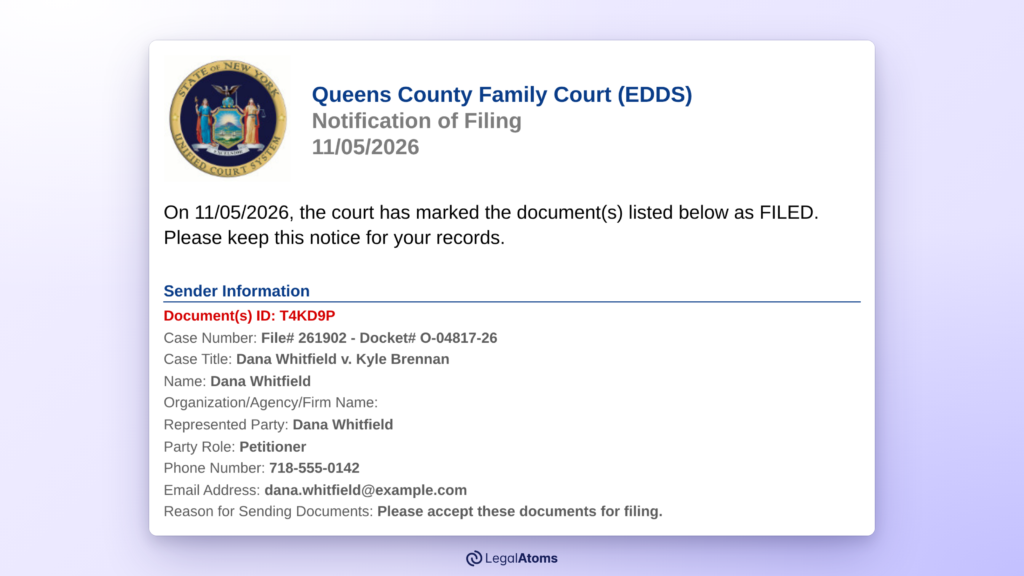
What it says
On 11/05/2026, the court has marked the document(s) listed below as FILED. Please keep this notice for your records.
What it means
Your petition is filed. This is the email to keep.
The line to look for
Case Number: File# 261902 – Docket# O-04817-26
The docket number is your case number from now on. For a family offense case it starts with the letter O. Use it whenever you call or write to the court.
Sometimes this line says “not assigned” even though the documents are marked FILED. Your petition is still filed. If you need the number and no later email gives it, ask the clerk.
What to do
Keep the docket number, then watch for the court’s next message about when and how you’ll see a judge. Filing starts the case. It doesn’t decide it.
Comment Added to Case
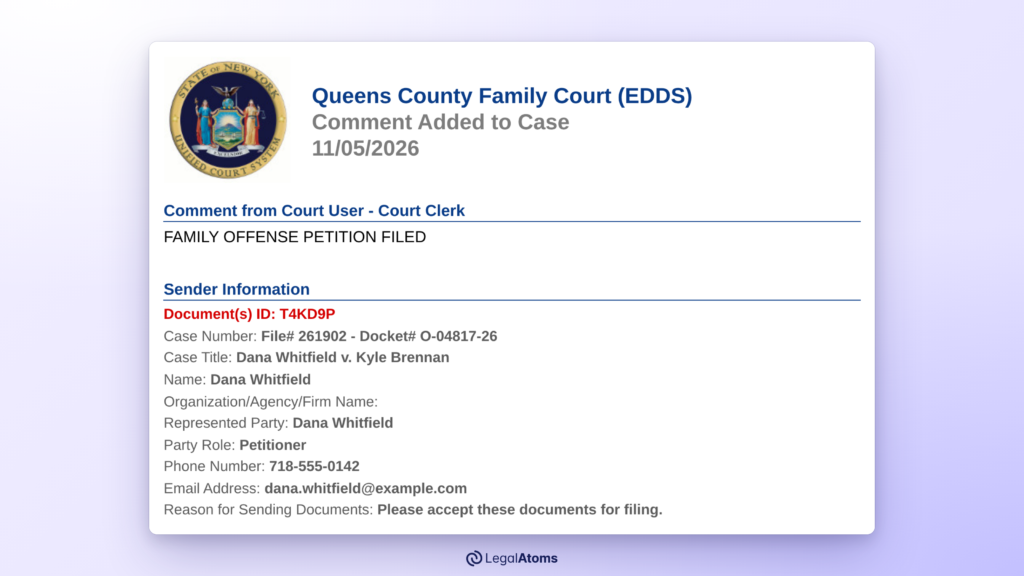
What it says
Comment from Court User – Court Clerk
followed by the clerk’s own words. In our example: “FAMILY OFFENSE PETITION FILED”.
What it means
A clerk added a note for you, and courts use these in different ways. In the court’s own sample, the news of acceptance arrives this way, with a hearing date in the same note: “Documents are accepted for filing. Hearing is scheduled on…”.
What to do
Read all of it. If it gives a date, a time or an instruction, that’s what the court expects you to do.
Other court mail: eNotify
You may also get an email from eNotify, the court system’s secure message service. That email only tells you a message is waiting. To open it, follow the link in the email and enter the one-time code the court sends to the same address.
Keep every court email
Each of these emails says “Please keep this notice for your records,” so do that. If someone else can read the inbox you used, think about whether these messages are safe there, and tell the court if your email address changes.
The same emails in LegalAtoms
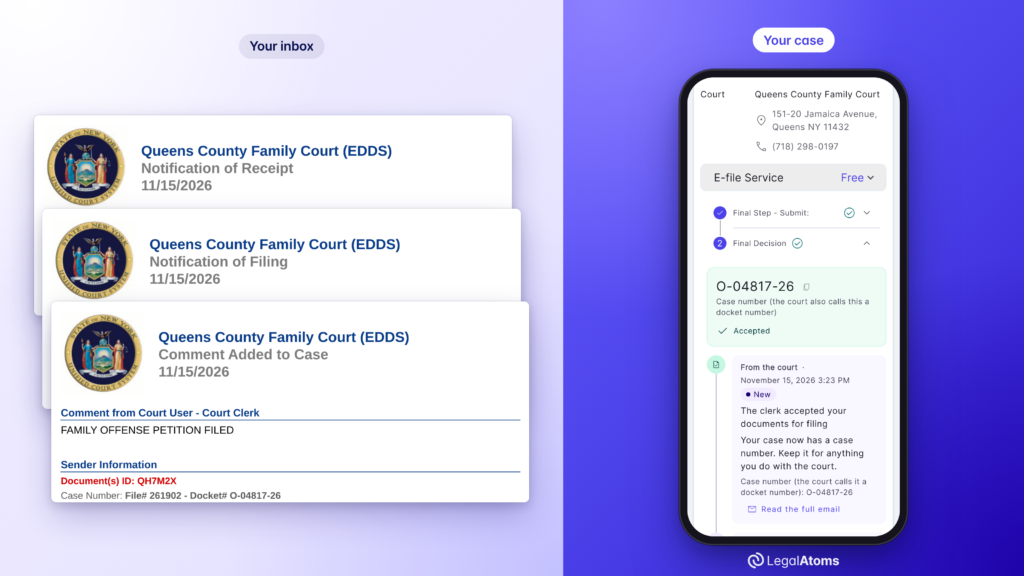
When LegalAtoms sends your petition, the court’s emails come back to your case. Your case page shows:
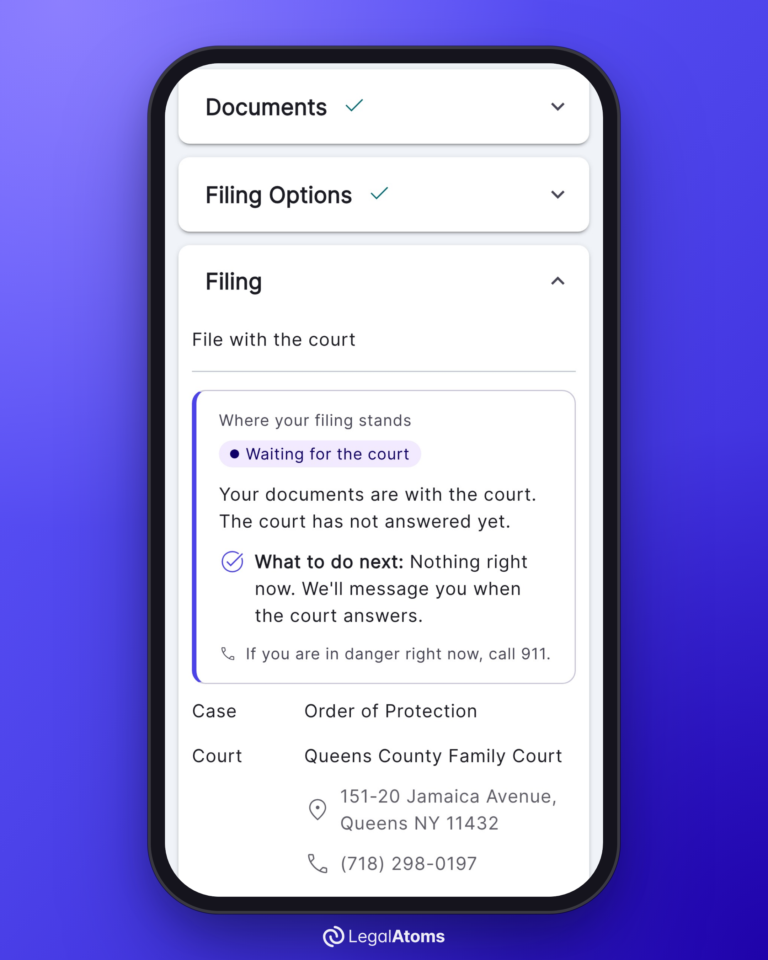
- Where your filing stands in one sentence, and what to do next. Most of the time that’s “Nothing right now. We’ll message you when the court answers.”
- Each court email as an entry in a timeline, marked “From the court”, with the newest marked New.
- The court’s own words. A clerk’s note is shown “exactly as written”. “Read the full email” opens the whole message, “exactly as sent”, under a short summary that’s labelled as ours.
- Your docket number in large type once the court gives it, with a copy button.
In this series
- How to Send a Family Offense Petition Through EDDS
- Is My EDDS Petition Filed Yet?
- Document Returned for Correction in EDDS: What to Do
- What Happens at an Order of Protection Hearing in New York
Sources: New York State Unified Court System, EDDS Family Court User Guide for Document Submitters, EDDS User Manual, EDDS FAQ and eNotify User Guide. The email wording shown is the court’s template with made-up details.
Forms needed
These are the court forms typically required for this process. LegalAtoms prepares each of them for you automatically.
- UCS-FC8-2 Family Offense Petition
- OSC Statement Sheet
- TOP Temporary Order of Protection Sheet
- FC-INT Family Court Intake
- FODT Family Offense Data Sheet
- DVPS DV Pedigree Sheet
Keep reading
 NEW YORK
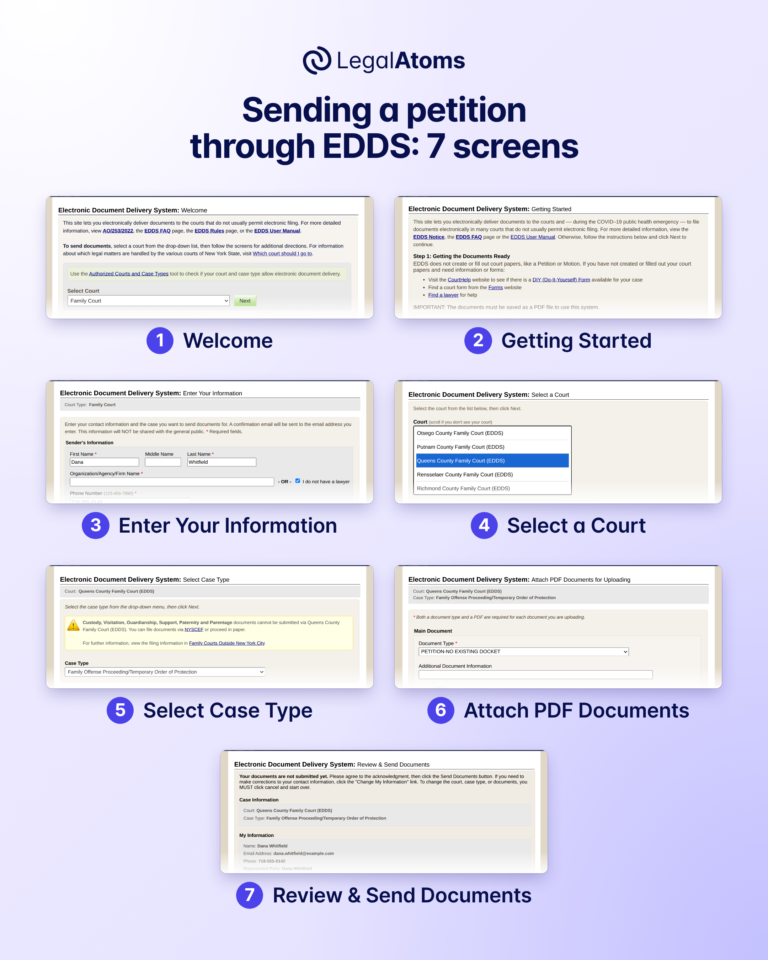
How to Send a Family Offense Petition Through EDDS, Screen by Screen
EDDS, the New York courts’ Electronic Document Delivery System, lets you send a family offense petition…
 NEW YORK
Is My EDDS Petition Filed Yet? Sent, Received and Filed in New York
Not until a clerk accepts it and tells you. EDDS, the New York courts’ Electronic Document…
 NEW YORK
Document Returned for Correction in EDDS: What It Means and What to Do
An email from New York Family Court titled “DOCUMENT RETURNED FOR CORRECTION” means a clerk read…
NEW YORKWhat Happens If Someone Violates an Order of Protection in New York?
Overview An order of protection is only as effective as the consequences that follow when it…