
How to Send a Family Offense Petition Through EDDS, Screen by Screen
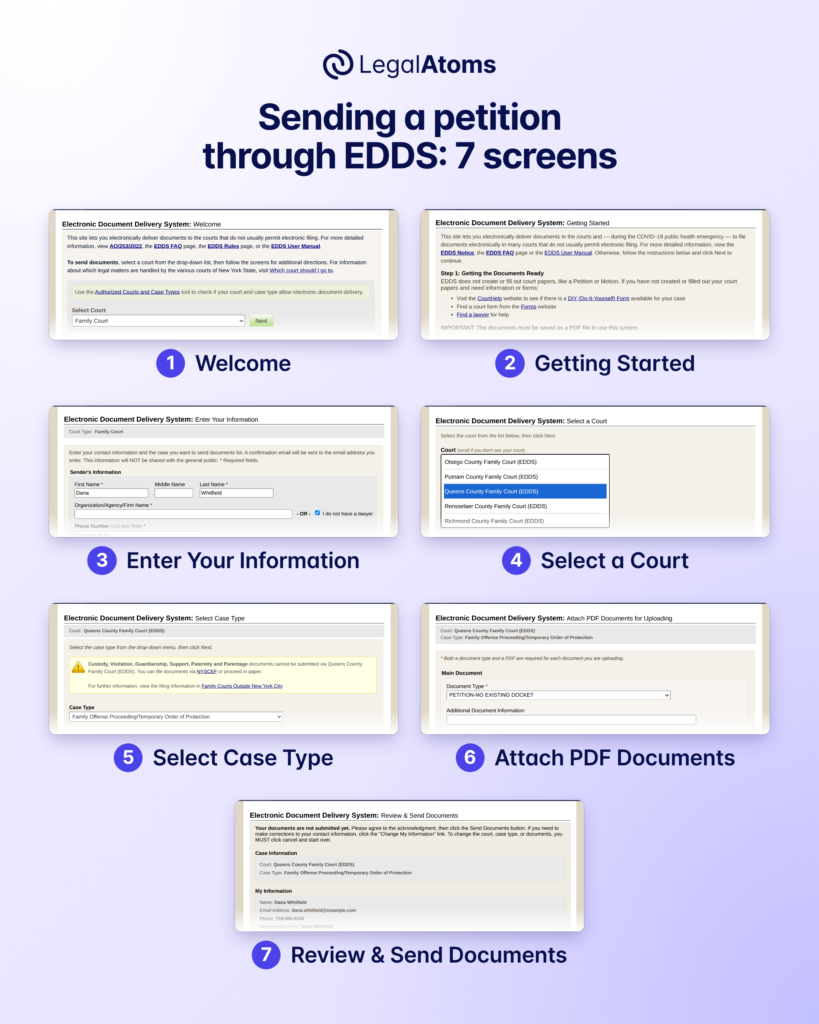
EDDS, the New York courts’ Electronic Document Delivery System, lets you send a family offense petition (the request for an order of protection) to Family Court as a PDF, so you don’t have to bring it to the courthouse. You go through seven screens and press Send Documents on the last one. EDDS only delivers the papers. You have to fill in the petition first, and it isn’t filed until a clerk accepts it and emails you.
LegalAtoms can do both parts. You answer plain-language questions, we fill in the official petition (Form 8-2) and the sheets your county asks for, and we send them to the court through EDDS.
Start your order of protection
If you are in danger now, call 911. For confidential help 24 hours a day, call the New York State Domestic and Sexual Violence Hotline at 1-800-942-6906 or text 844-997-2121. In New York City, you can also call 1-800-621-4673.
The names and details in these screenshots are made up. They are not from a real case.
What you need before you use EDDS
- The petition, filled in and saved as a PDF. That’s Form 8-2, plus any extra sheet your county wants. EDDS won’t help with this part. Its own Getting Started page says “EDDS does not create or fill out court papers, like a Petition or Motion.”
- PDFs the court will take. The court’s guide asks for PDF/A files that are text-searchable and not password-protected. A phone photo of a paper form won’t work.
- An email address you can check safely. Every answer from the court goes there, so don’t use an inbox the other person can read.
- A Family Court that takes these petitions through EDDS. Courts differ, so call the clerk if you aren’t sure. You can always file in person instead, and the clerk will help you with the forms for free.
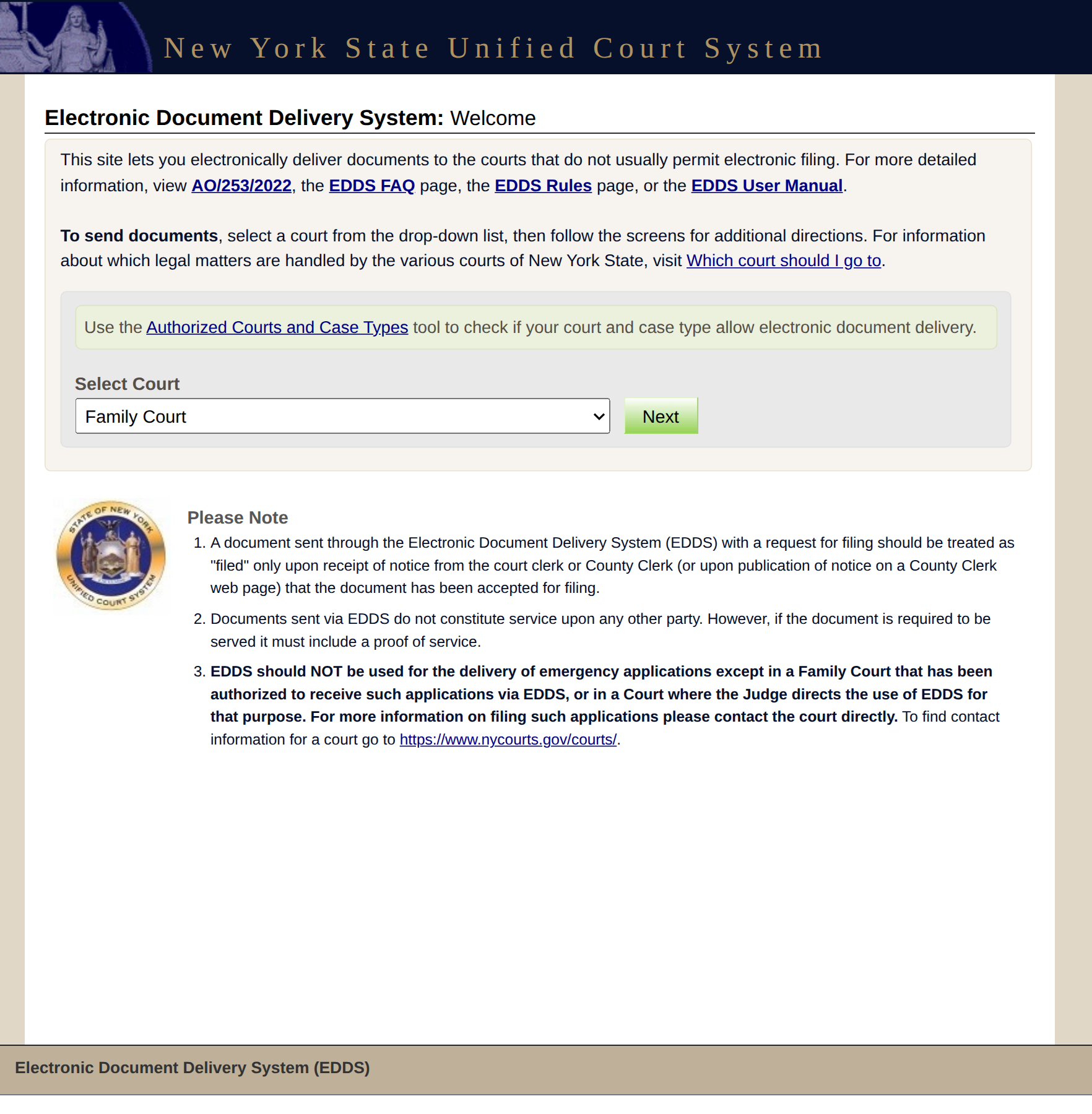
1. Welcome
Open the EDDS page. Under “Select Court”, choose Family Court (one of 15 court types) and press Next. A security check comes up next; tick its box.
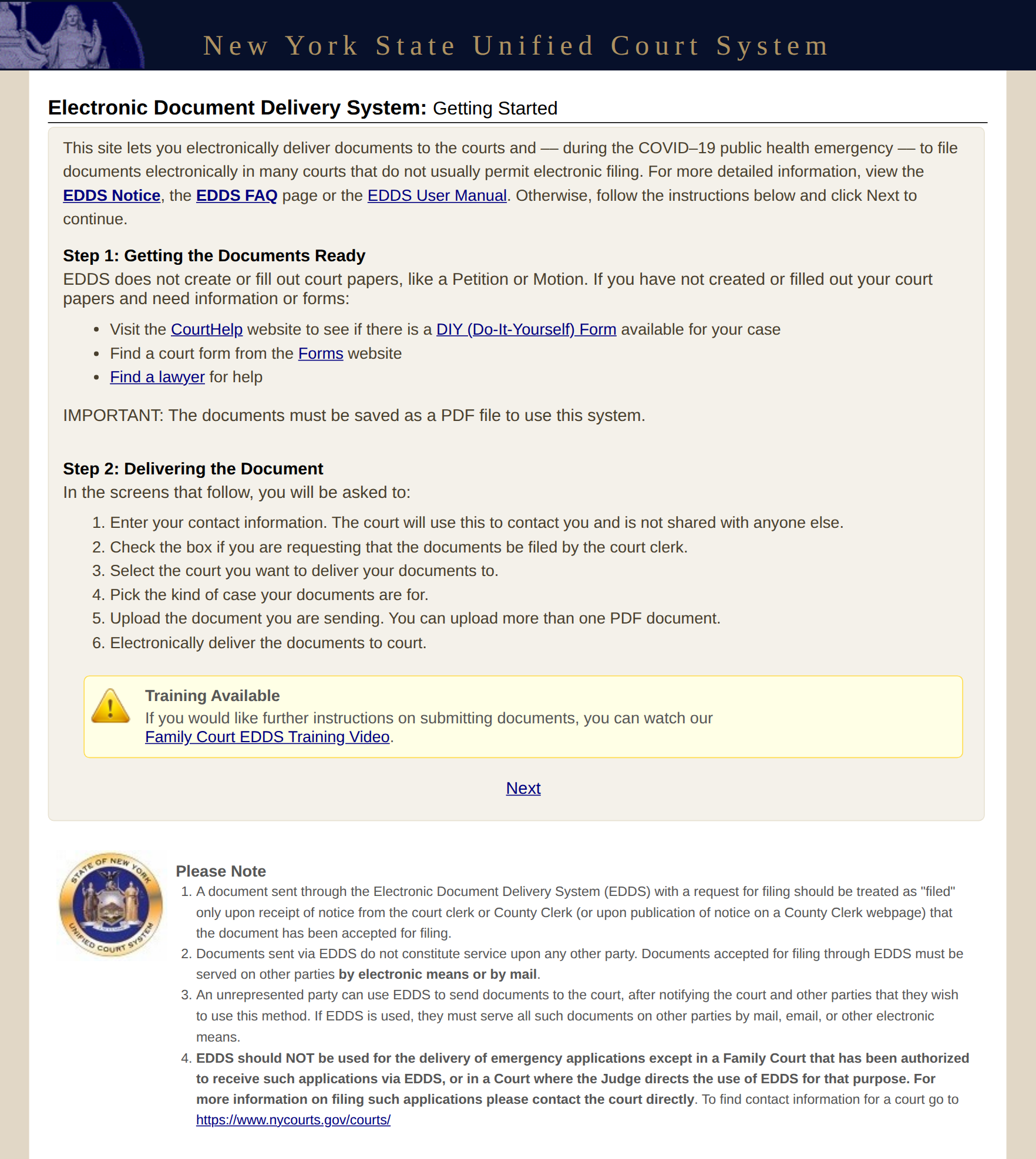
2. Getting Started
There’s nothing to fill in here, but read the notes at the bottom. Two of them matter most:
- Your document “should be treated as “filed” only upon receipt of notice from the court clerk”.
- “Documents sent via EDDS do not constitute service upon any other party.”
Then press Next. It’s a small link under the yellow box.
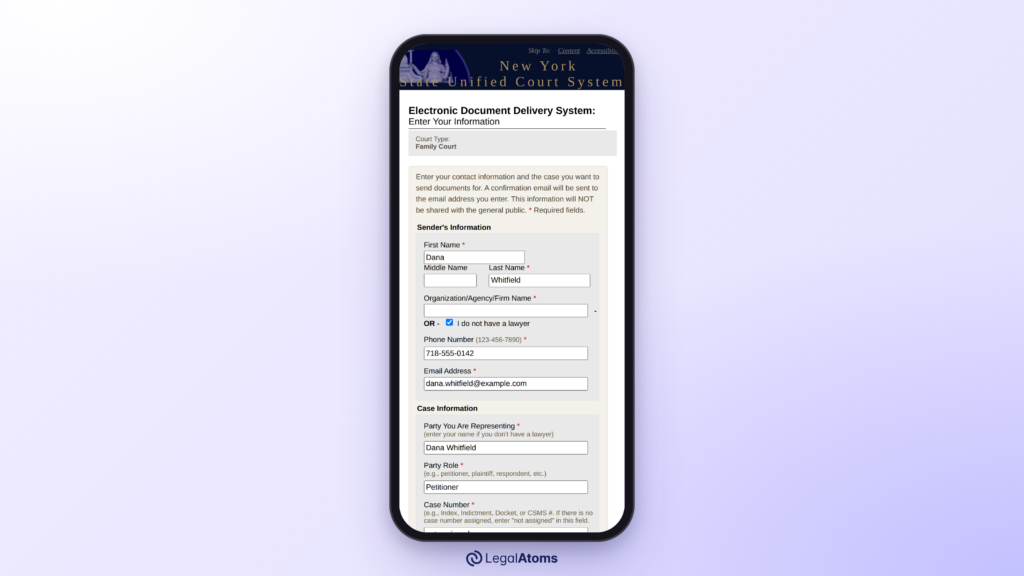
3. Enter Your Information
Twelve boxes and two checkboxes. The court only checks them after you press Next, so if you miss one you land back on this screen with a red list of errors.
| Box | What to enter |
|---|---|
| First Name, Last Name | Your own name. Middle Name can stay empty. |
| Organization/Agency/Firm Name | Leave it empty and tick I do not have a lawyer. |
| Phone Number | Ten digits, written as 123-456-7890. |
| Email Address | The address where you want the court’s emails. |
| Party You Are Representing | Your own name again. |
| Party Role | Petitioner |
| Case Number | For a new case, type not assigned. |
| Case Title | Your name v. the other person’s name |
| Interpreter Needed | The language, if you need an interpreter. Otherwise leave it empty. |
| Reason for Sending Documents | A short sentence, for example: Please accept these documents for filing. |
Then tick FILING REQUEST at the bottom. This asks the court to file your documents, but it’s only a request. The court’s manual says “checking this box does not of itself constitute filing of the document.”
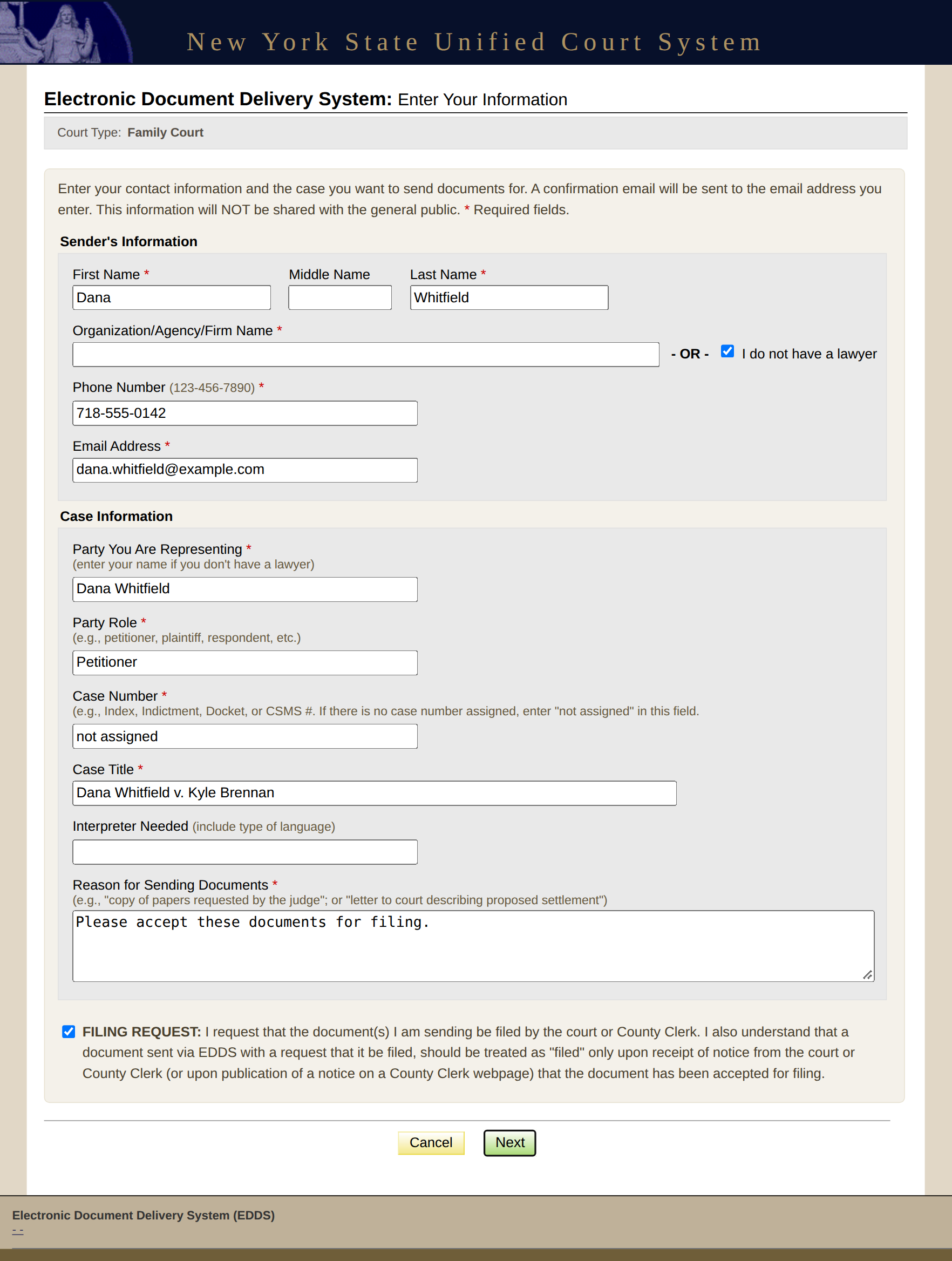
On a phone this screen is almost two screens tall, so scroll to the bottom before you press Next.
4. Select a Court
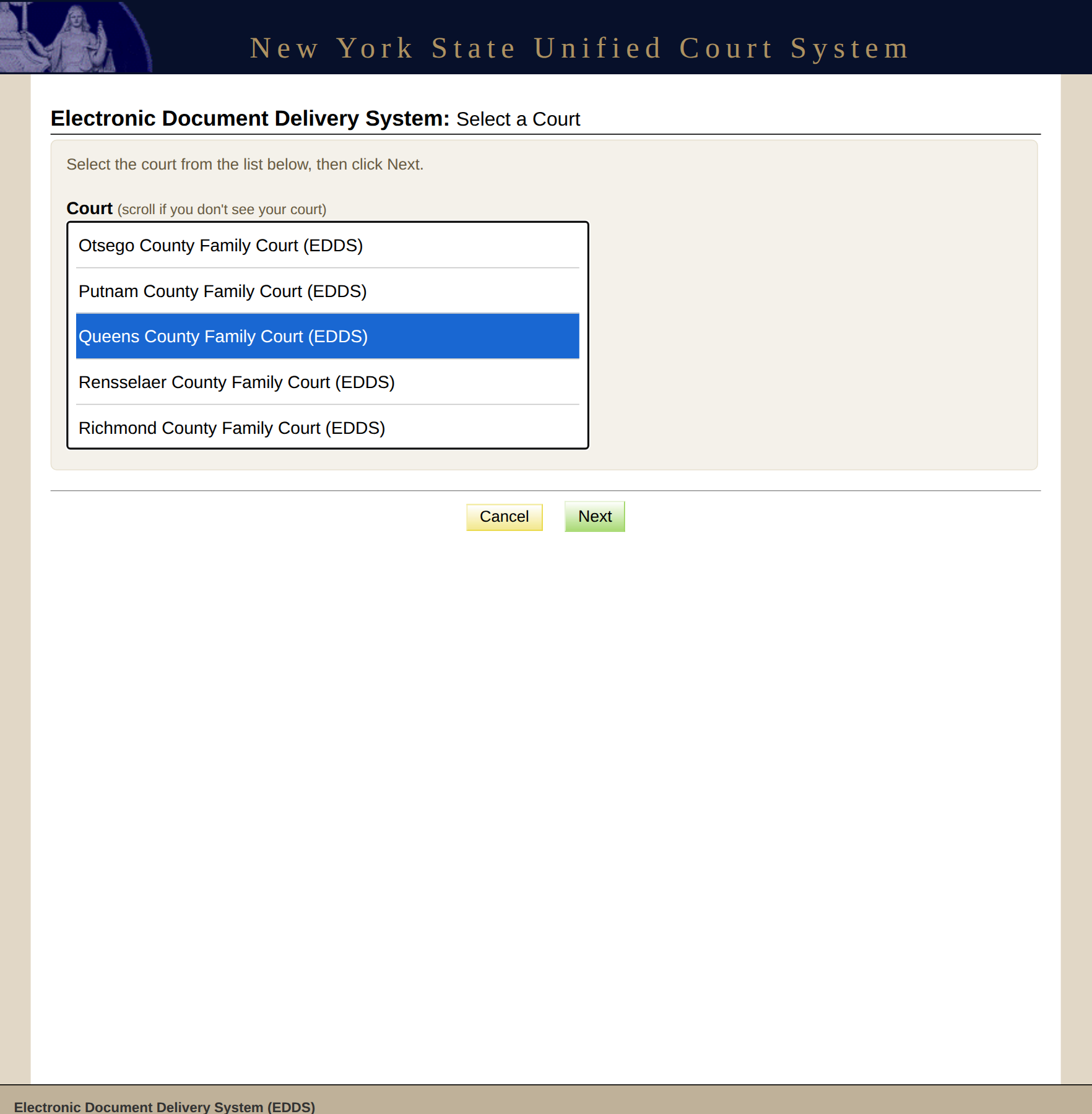
The list has all 62 Family Courts, but the box only shows five at a time. Scroll to your county, select it and press Next.
5. Select Case Type
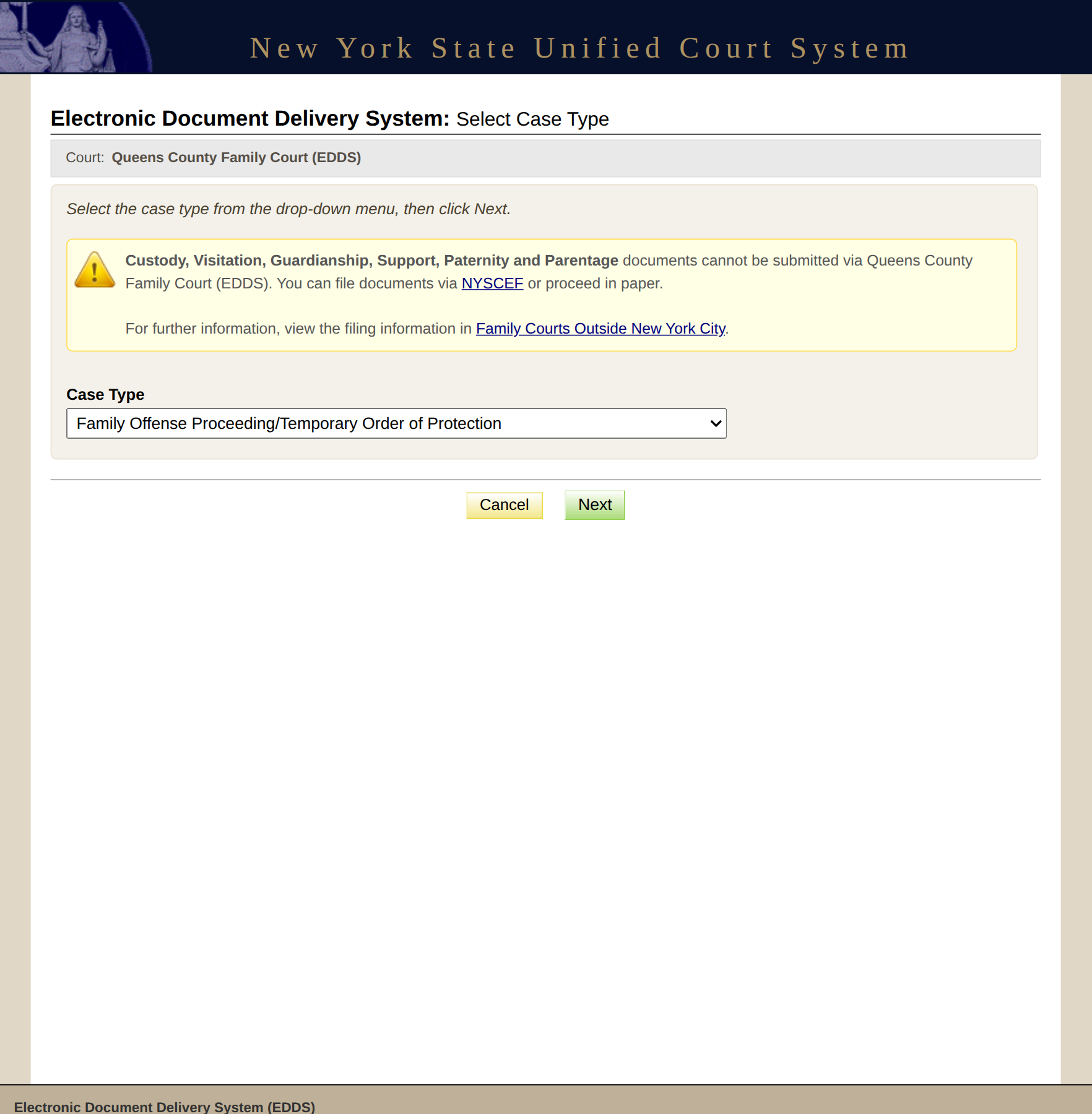
Choose Family Offense Proceeding/Temporary Order of Protection. Each court has its own list, so if this choice isn’t there, stop and call the clerk.
6. Attach PDF Documents for Uploading
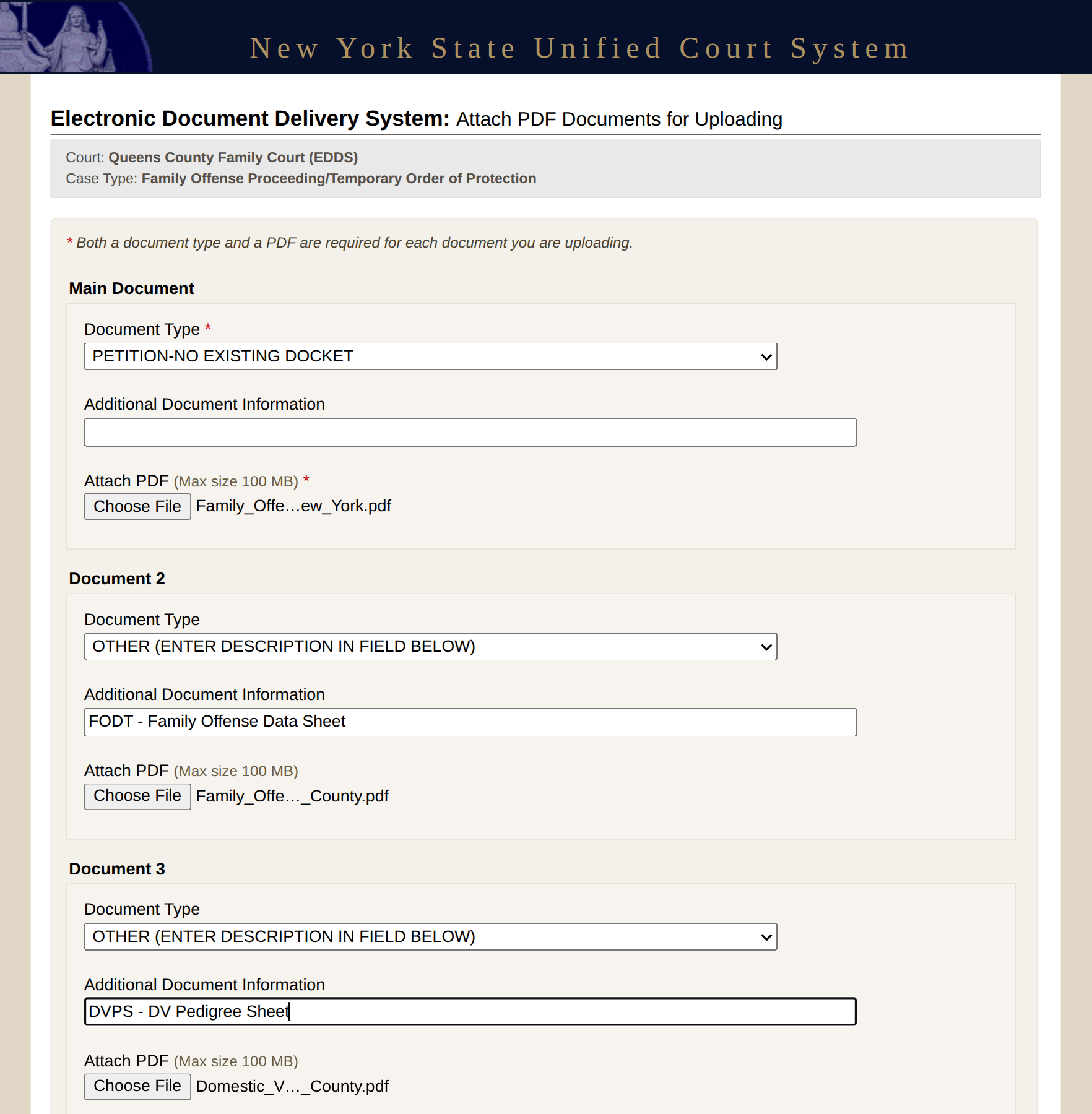
This screen has five document slots. Each one has a Document Type list, an Additional Document Information box and a file button.
- Main Document: your petition. For a new case, choose PETITION-NO EXISTING DOCKET.
- Every other sheet: choose OTHER (ENTER DESCRIPTION IN FIELD BELOW) and type the sheet’s name in the box under it.
- Each file can be up to 100 MB. For more than five documents, press Add More Documents.
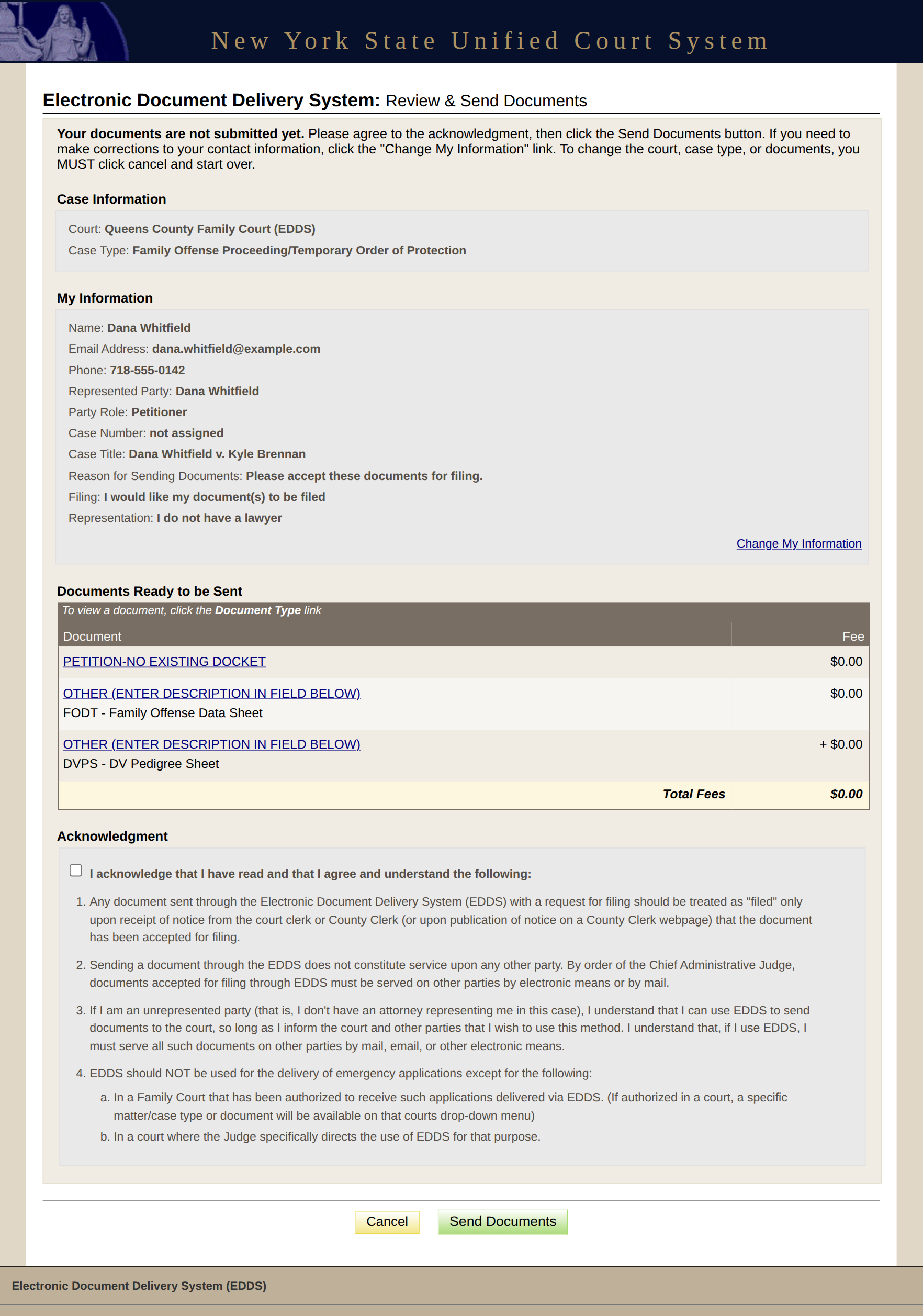
7. Review & Send Documents
The page opens with “Your documents are not submitted yet.” Check every line against your papers.
“Change My Information” fixes your contact details. For anything else you start over: “To change the court, case type, or documents, you MUST click cancel and start over.”
The Fee column shows $0.00, because filing a family offense petition is free.
Read the four points of the acknowledgment, tick the box and press Send Documents.
After you press Send: the Thank You screen
A confirmation screen gives you a six-character Document(s) ID. Write it down or print the screen, because it’s how the court finds your delivery when you call. We stopped before sending when we made this guide, so there’s no screenshot of it.
What happens next
First comes an automatic email, “Notification of Receipt”. It means the system has your documents, not that a clerk has read them.
A second email comes after a clerk reviews them. The court gives no fixed time for this. It says either that your documents were filed or that they were returned for correction. See the emails Family Court sends after EDDS and how to tell if your petition is filed.
Filing starts the case. A judge still sees you, someone other than you has to serve the papers on the other person, and you have to go to your court dates.
Skip the screens with LegalAtoms
With LegalAtoms you don’t make PDFs or go through any of these screens. You answer questions, read the petition we fill in, and choose to have us send it. Your case page then shows where the filing stands and every email the court sends, in order. See it in a 15-second video.
In this series
- Is My EDDS Petition Filed Yet?
- The Emails New York Family Court Sends After EDDS
- Document Returned for Correction in EDDS: What to Do
- How to Get an Order of Protection in New York
Sources: New York State Unified Court System, EDDS, EDDS Family Court User Guide for Document Submitters, EDDS User Manual and EDDS FAQ; the EDDS screens as they were on November 15, 2026.
Forms needed
These are the court forms typically required for this process. LegalAtoms prepares each of them for you automatically.
- UCS-FC8-2 Family Offense Petition
- OSC Statement Sheet
- TOP Temporary Order of Protection Sheet
- FC-INT Family Court Intake
- FODT Family Offense Data Sheet
- DVPS DV Pedigree Sheet
Keep reading
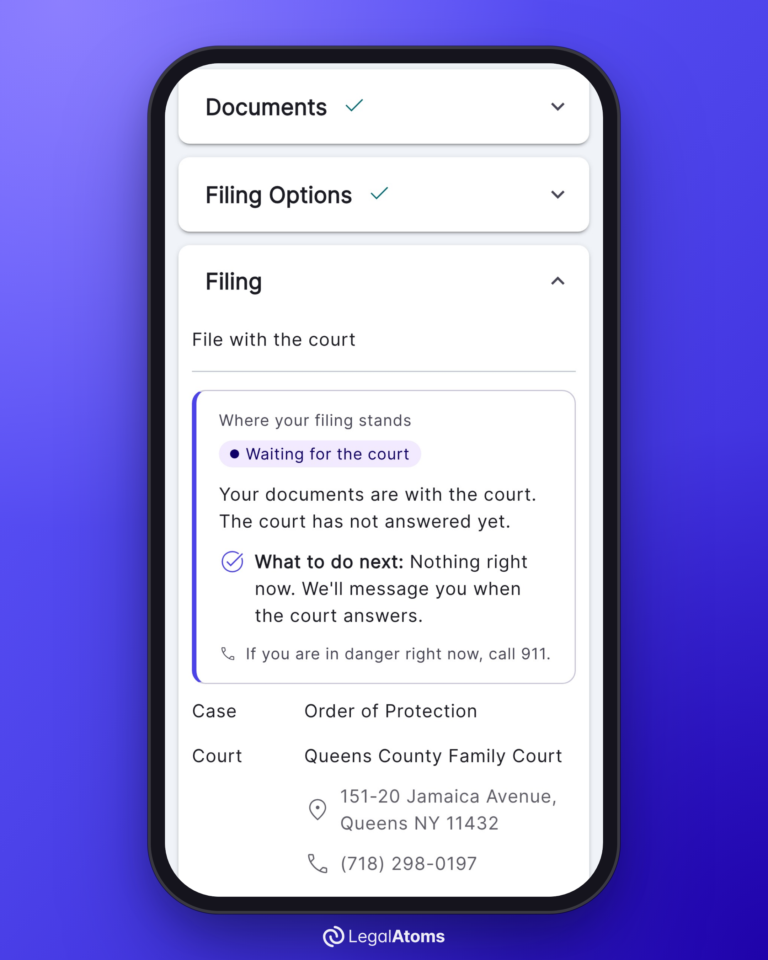 NEW YORK
Is My EDDS Petition Filed Yet? Sent, Received and Filed in New York
Not until a clerk accepts it and tells you. EDDS, the New York courts’ Electronic Document…
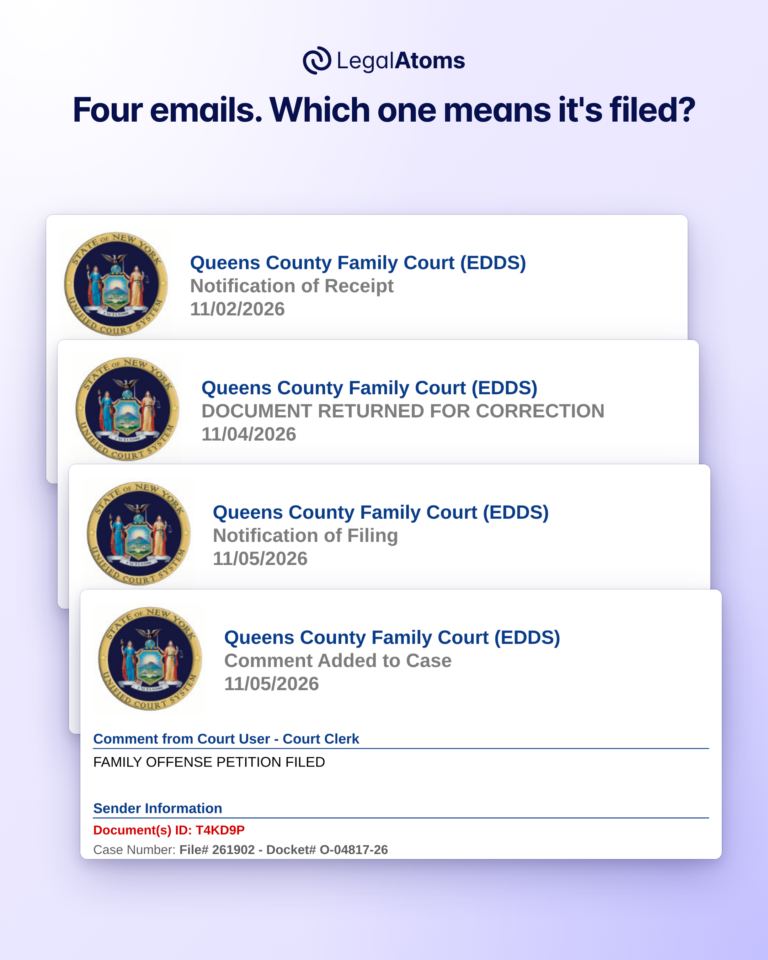 NEW YORK
The Emails New York Family Court Sends After EDDS, and What Each One Means
After you send an order of protection petition through EDDS, New York Family Court answers by…
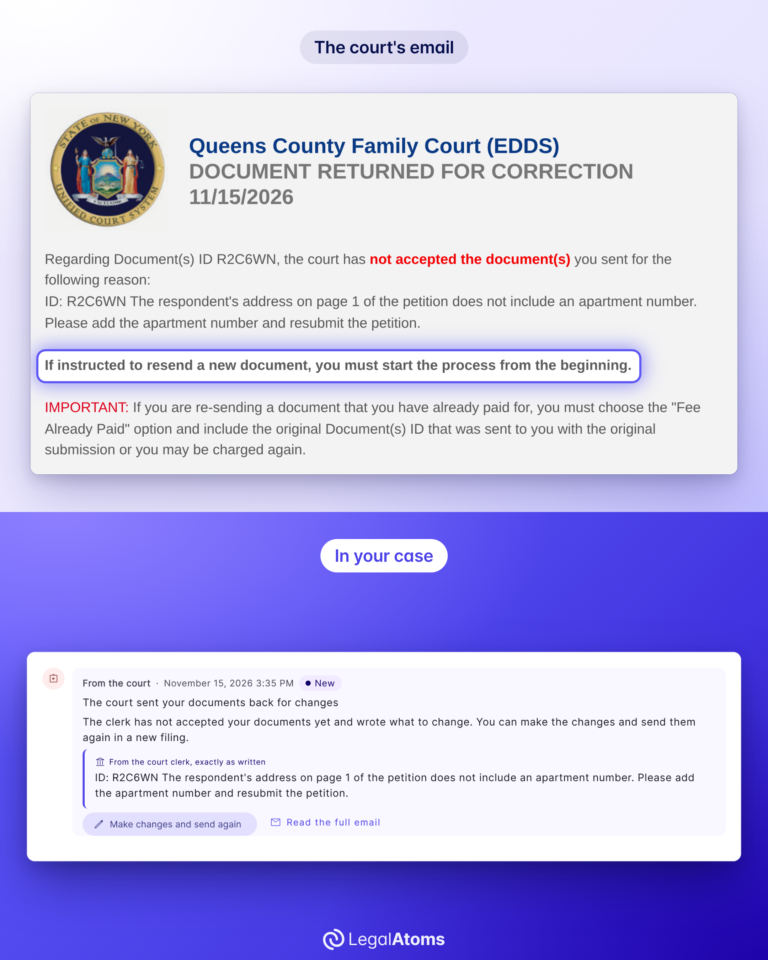 NEW YORK
Document Returned for Correction in EDDS: What It Means and What to Do
An email from New York Family Court titled “DOCUMENT RETURNED FOR CORRECTION” means a clerk read…
NEW YORKWhat Happens If Someone Violates an Order of Protection in New York?
Overview An order of protection is only as effective as the consequences that follow when it…