
Document Returned for Correction in EDDS: What It Means and What to Do
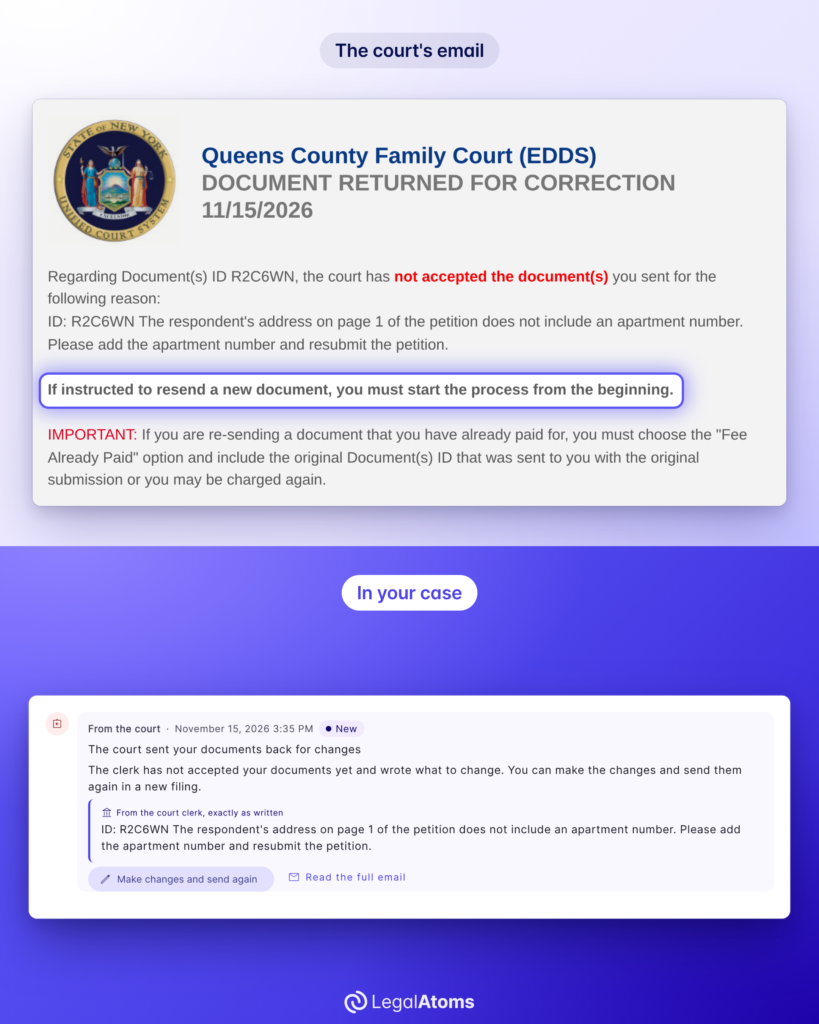
An email from New York Family Court titled “DOCUMENT RETURNED FOR CORRECTION” means a clerk read the papers you sent through EDDS and wants something changed before the court will accept them. It isn’t a denial of your order of protection, and no judge has seen your petition yet. You fix what the clerk asks for and send the papers again.
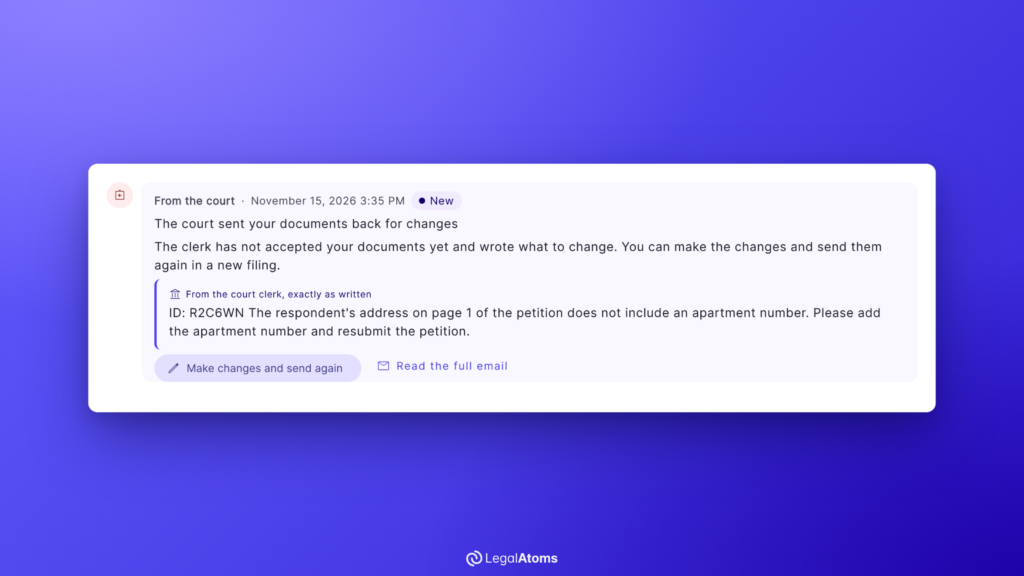
If LegalAtoms sent your petition, the clerk’s note is already in your case, next to a button that lets you make the change and send it again.
Start your order of protection
If you are in danger now, call 911. For confidential help 24 hours a day, call the New York State Domestic and Sexual Violence Hotline at 1-800-942-6906 or text 844-997-2121. In New York City, you can also call 1-800-621-4673.
What the return email means
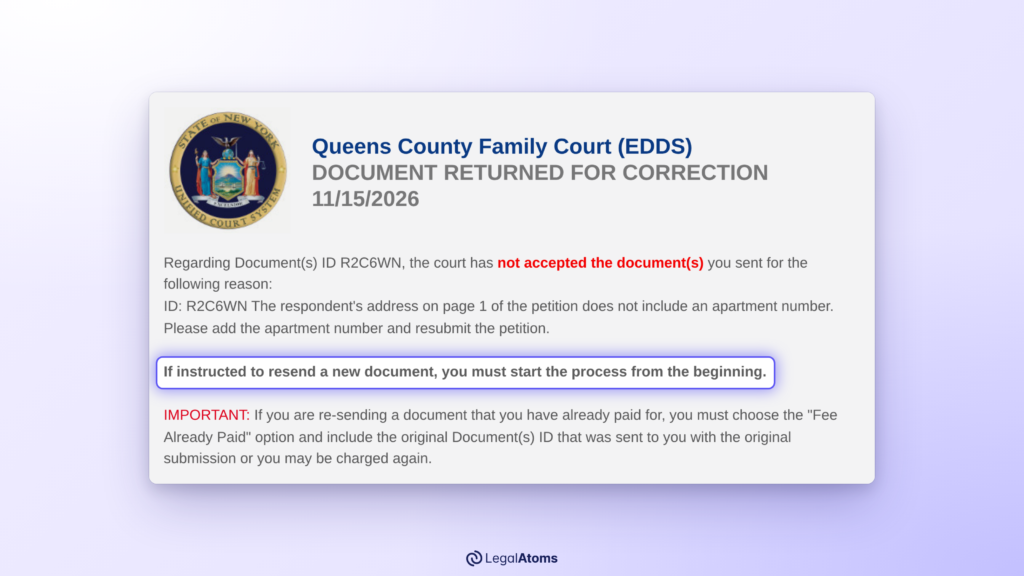
The first lines carry the whole message:
Regarding Document(s) ID R2C6WN, the court has not accepted the document(s) you sent for the following reason:
The reason comes next. A clerk types it by hand, so it can be one line or a short list. Below it, the email repeats the details you entered and lists the documents that came back.
Three things follow from this email:
- Your petition isn’t filed. Under the court’s rules, a document sent through EDDS counts as filed only when the clerk accepts it and tells you.
- Every document in that delivery came back, even if the note is about one page. The clerk returns the whole delivery.
- Your next delivery gets a new Document(s) ID. Keep the old one too, in case the clerk asks about the first delivery.
Read the clerk’s reason as a list of instructions
Take each sentence of the note as one instruction, and change only what it asks for.
The court doesn’t publish a list of common reasons. Its own sample email shows a petition returned because it wasn’t signed. Other notes ask for a missing detail on the petition, a missing county sheet, or for a sheet the court doesn’t want to be left out.
If you can’t tell what the clerk means, ask before you send anything again. The court’s email address is at the bottom of the message, and it takes questions only: “No documents will be accepted through this email address.” A Court Help Center can also go through the note with you, and in New York City, Safe Horizon has staff inside every Family Court.
How to resend through EDDS
The court’s email says how:
If instructed to resend a new document, you must start the process from the beginning.
In practice that means:
- Correct the petition or sheet and save it as a PDF again.
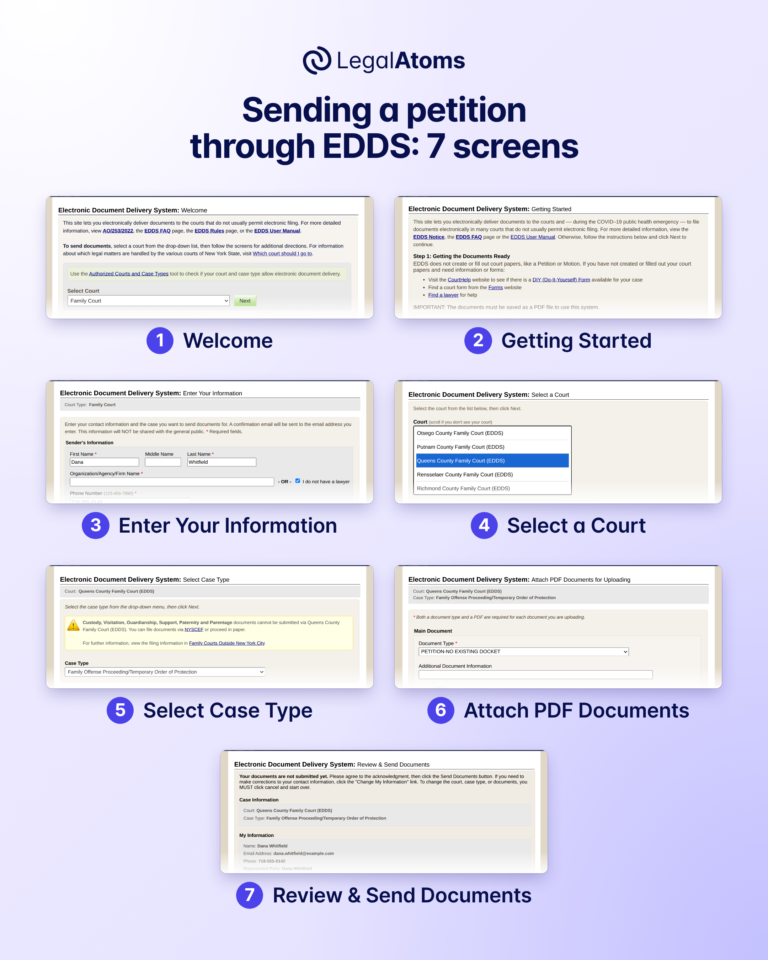
- Go back to the first EDDS screen and go through every screen again: your information, the court, the case type, and each document with its type.
- Send it, and write down the new Document(s) ID.
- Wait for a new “Notification of Receipt”, then for the clerk’s answer.
Our guide to every EDDS screen shows what to choose and type on each one.
How to resend with LegalAtoms
When the court returns a petition you sent through LegalAtoms, the clerk’s note shows up in your case, marked “From the court clerk, exactly as written”. We don’t reword it, and the full email is one tap away. Next to it is one button: “Make changes and send again”.
- Press “Make changes and send again”. Your questionnaires open with every answer as you left it.
- Change the answer the clerk asked about. Leave the rest alone.
- Go back to your case. Your documents are made again from the new answers.
- Press Submit. The corrected petition goes to the court as a new filing, and you don’t pay again.
The first filing stays in your case, marked “Sent back by the court”, so you can still open it.
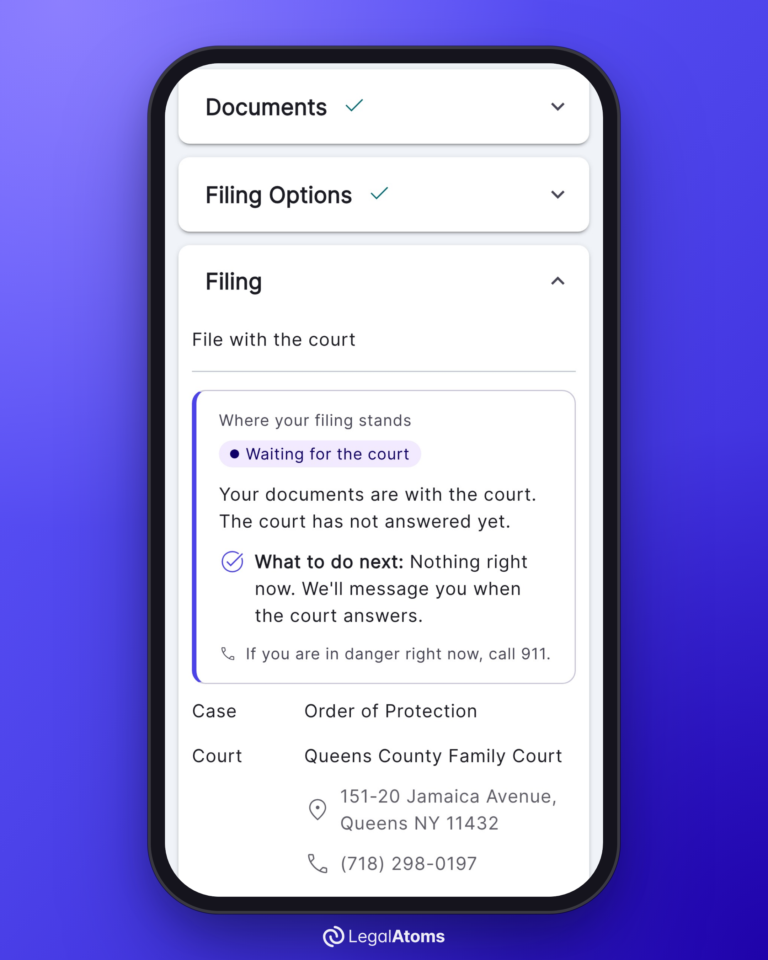
After that you wait for the clerk, the same as anyone else. LegalAtoms shows “Where your filing stands” and tells you if there’s anything for you to do.
What a return doesn’t change
- Your right to ask for the order. You can send the petition again as soon as it’s corrected.
- Other ways to file. You can take the corrected petition to the courthouse instead. If Family Court is closed and you need protection now, a criminal court can issue a temporary Family Court order of protection.
- What comes after filing. Once the clerk accepts the petition, you still see a judge, someone else has to serve the papers on the other person, and you have to go to your court dates. See what happens at the hearing.
In this series
- How to Send a Family Offense Petition Through EDDS
- Is My EDDS Petition Filed Yet?
- The Emails New York Family Court Sends After EDDS
- How to Get an Order of Protection in New York
Sources: New York State Unified Court System, EDDS Family Court User Guide for Document Submitters and Family Court clerk guide; Administrative Order AO/253/22; UCS pamphlet Information for Those Seeking a Family Court Order of Protection.
Forms needed
These are the court forms typically required for this process. LegalAtoms prepares each of them for you automatically.
- UCS-FC8-2 Family Offense Petition
- OSC Statement Sheet
- TOP Temporary Order of Protection Sheet
- FC-INT Family Court Intake
- FODT Family Offense Data Sheet
- DVPS DV Pedigree Sheet
Keep reading
 NEW YORK
How to Send a Family Offense Petition Through EDDS, Screen by Screen
EDDS, the New York courts’ Electronic Document Delivery System, lets you send a family offense petition…
 NEW YORK
Is My EDDS Petition Filed Yet? Sent, Received and Filed in New York
Not until a clerk accepts it and tells you. EDDS, the New York courts’ Electronic Document…
 NEW YORK
The Emails New York Family Court Sends After EDDS, and What Each One Means
After you send an order of protection petition through EDDS, New York Family Court answers by…
NEW YORKWhat Happens If Someone Violates an Order of Protection in New York?
Overview An order of protection is only as effective as the consequences that follow when it…