
Using Phone numbers to register
Registering on LegalAtoms Using Your Phone Number
LegalAtoms is designed to make court processes accessible and simple, especially for users who may not want to create or manage an email account. Instead of requiring an email during registration, LegalAtoms allows you to sign up using your mobile phone number. Behind the scenes, the platform securely creates and manages an email address for your account, ensuring you can still receive important court communications without additional setup.
Step 1: Start Registration
Begin by visiting the LegalAtoms website or opening the application on your mobile device. On the sign-in page, select the option to “Continue with Phone Number.” Enter your mobile number in the provided field. Make sure the number is active and accessible, as it will be used for verification and future notifications.
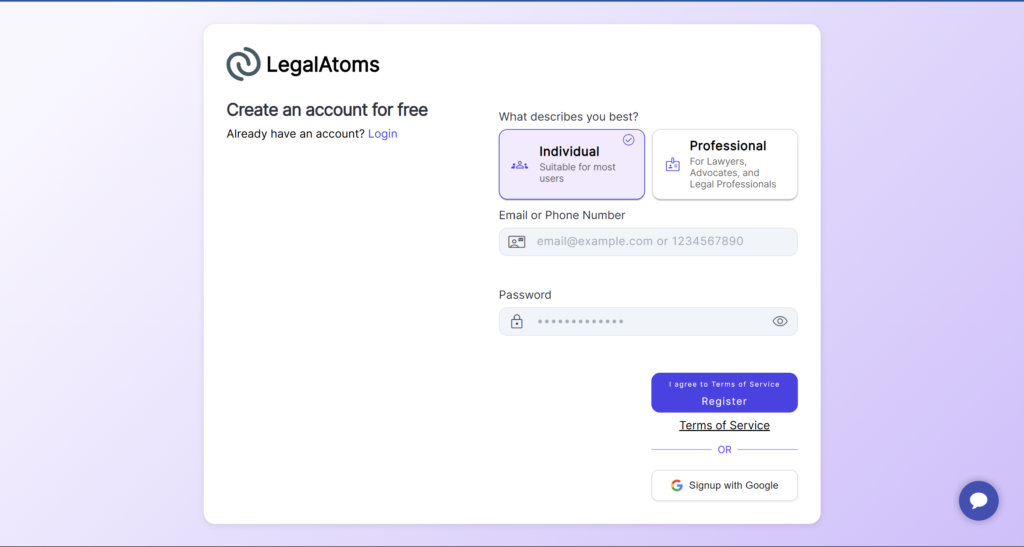
Step 2: Verify Your Phone Number
Once you submit your phone number, LegalAtoms will send you a one-time verification code via SMS or voice call. Enter this code into the application to confirm your identity. This step ensures that your account is secure and tied directly to you.
Step 3: Account Creation (Behind the Scenes)
After verification, LegalAtoms automatically creates your account. At this stage, the system generates a secure, system-managed email address associated with your profile. You do not need to see or manage this email. It exists to enable communication with courts and other systems that require an email address.
This approach removes friction for users who may not have an email or prefer not to use one, while still maintaining compatibility with court systems that rely on email-based communication.
Step 4: Accessing Your Dashboard
Once your account is created, you are logged into your LegalAtoms dashboard. From here, you can begin your legal process, whether that involves filing forms, uploading documents, or tracking your case.
Your phone number serves as your primary login credential. In future sessions, simply enter your phone number and verify with a one-time code to access your account.
Step 5: Receiving Court Communications
Courts and clerks may send updates, notices, or messages related to your case. Instead of receiving these through a traditional email inbox, LegalAtoms delivers them directly to your secure in-app inbox.
When a new message arrives, you will receive a notification via SMS. This notification typically includes a secure link. Clicking the link will take you directly to your LegalAtoms inbox after verifying your identity.
Step 6: Viewing Messages in Your LegalAtoms Inbox
Your LegalAtoms inbox acts as a centralized, secure communication hub. Here you can:
- Read court notices and updates
- View documents sent by the court
- Respond if required
- Track the history of communications
All messages are stored safely and organized by case, ensuring you never lose important information.
Benefits of Phone-Based Registration
This approach offers several advantages:
- No email required, ideal for users without email access
- Simplified login using your phone number and a one-time code
- Secure communication with messages protected within your LegalAtoms account
- Seamless court integration so courts can communicate as if an email exists
Summary
LegalAtoms removes the traditional barrier of email-based registration while preserving full functionality. By using your phone number, you gain secure, streamlined access to your legal case, with all communications delivered directly to your LegalAtoms inbox. This ensures you stay informed, organized, and connected throughout your legal process.