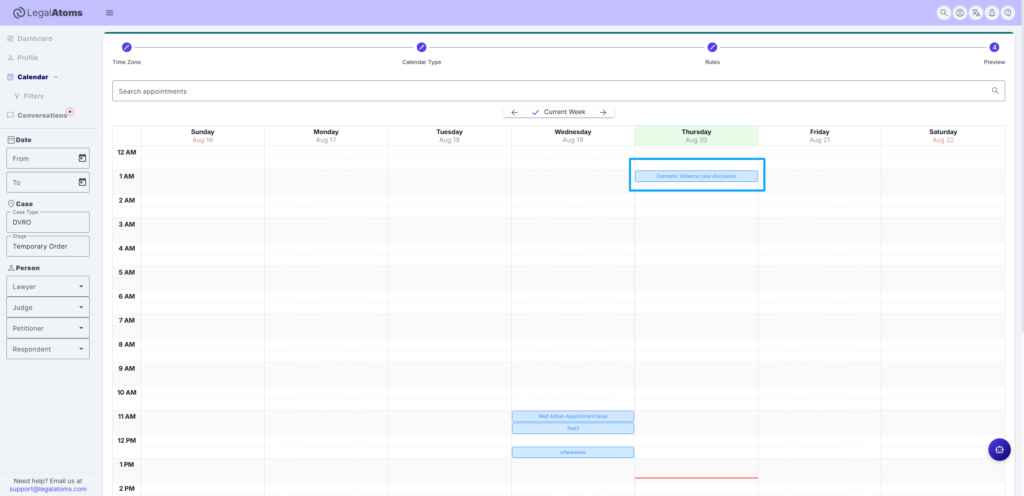
Create appointments in LegalAtoms calendar
Published
This feature allows lawyers, court officials and legal professionals to create and manage appointments, including client meetings, court hearings involving multiple participants and professional collaboration sessions.
Prerequisite
Before creating appointments, set up your LegalAtoms Calendar by following this guide:
Calendar Settings on LegalAtoms
LegalAtoms allows professionals to connect a Google Calendar, Outlook Calendar or the built-in LegalAtoms Calendar and configure availability, appointment duration, scheduling notice and other calendar rules.
Steps to Create an Appointment
- Go to the Preview tab.
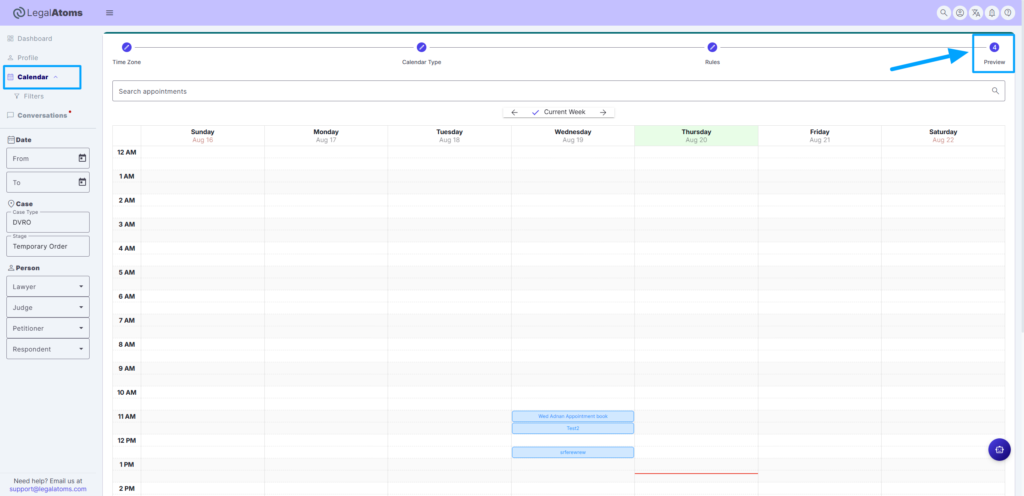
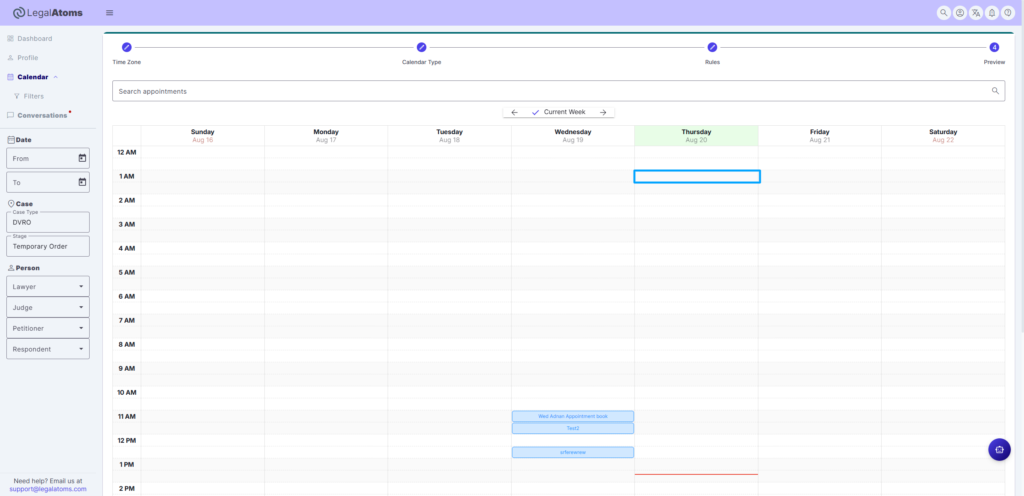
- Click on the calendar box corresponding to the desired appointment time. For example, to schedule an appointment on August 20 from 1:00 AM to 1:30 AM, click the box in the 1:00 AM row on the calendar.
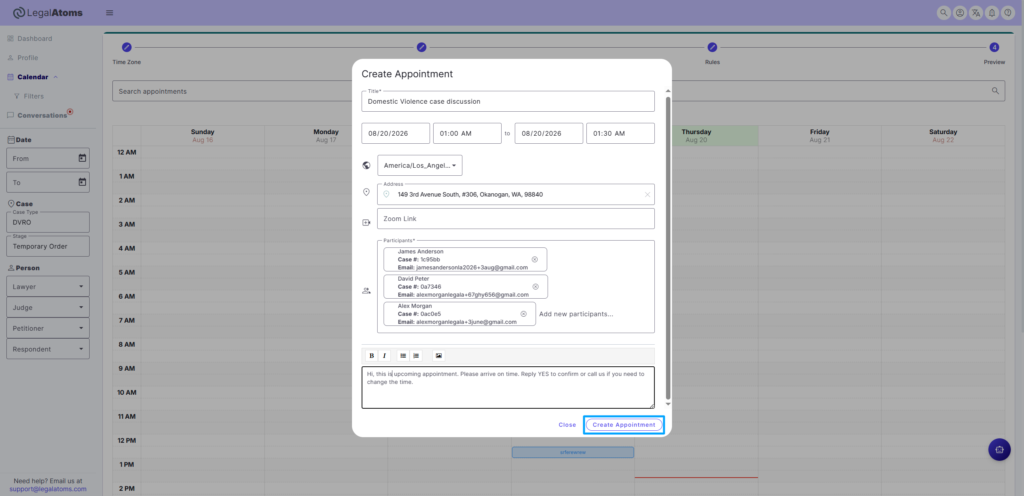
- In the Create Appointment popup, enter the appointment details such as the Title, Time Zone, Participants, Zoom Link and any additional information or notes relevant to the appointment.
- Click Create Appointment button.
- The appointment will be added and displayed on the calendar.