
When Your Photos Are Too Large
Published
Courts limit how much you can attach to a case. If the photos you’re adding go over that limit, LegalAtoms offers to make them smaller for you, and shows you exactly what will change before anything happens.
You stay in control. Nothing is changed unless you choose it.
The limit
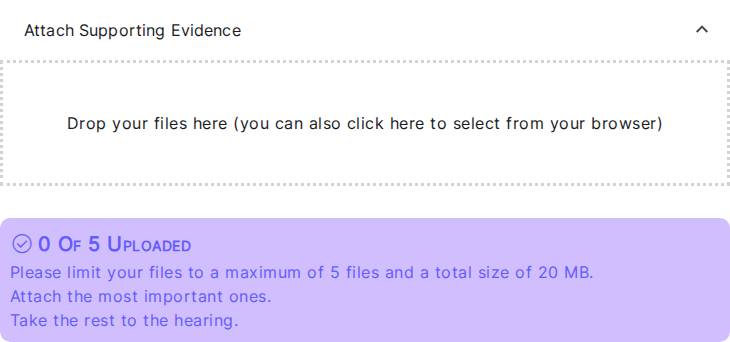
When you attach supporting evidence, you’ll see how much you’ve used:
0 Of 5 Uploaded Please limit your files to a maximum of 5 files and a total size of 20 MB.
Two separate limits apply: how many files, and how much they add up to. The exact numbers come from your court, so they may differ on your case.
Photos from a modern phone are often 4 to 12 MB each, so it’s common to reach the size limit after only a handful of pictures.
When you go over
Add photos as normal. If a photo would push your case over the size limit, a window opens:
Make these photos smaller?
These files go over the 20 MB limit for this case. We can make the photos below smaller so they all fit. They will still be clear enough to read.
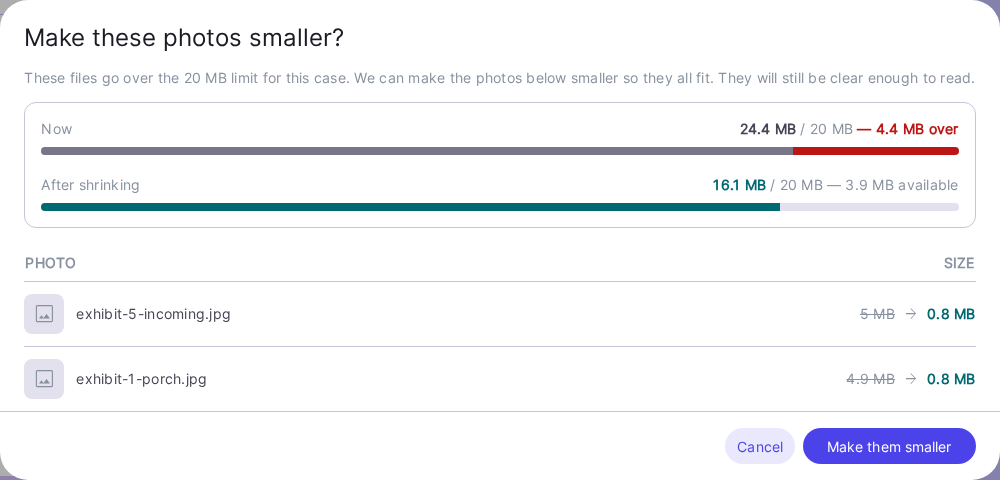
The window shows you three things:
- Now. What your case adds up to today, and how far over the limit it is.
- After shrinking. What it will add up to if you accept, and how much room you’ll have left.
- Each photo it wants to change. Its name, its size now, and its exact size afterwards.
Those new sizes are not estimates. Each photo has already been test-shrunk to work out precisely what it will weigh, so the number you see is the number you’ll get.
Photos you already uploaded may be included
The list can include photos you uploaded earlier, not only the one you just added.
This happens when shrinking the new photo alone isn’t enough to get back under the limit. Rather than refusing your photo, LegalAtoms looks at everything on the case and picks the fewest changes that make it all fit. Anything not in the list is left exactly as it is.
Choosing
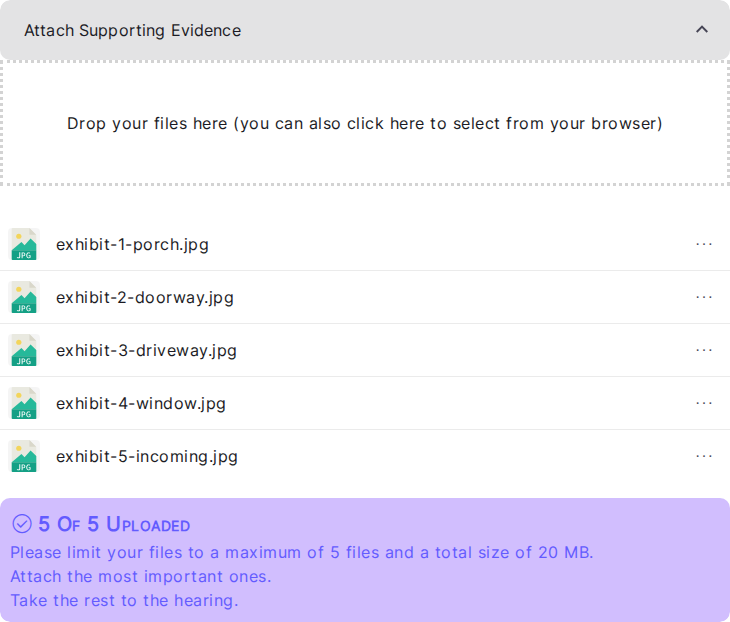
- Make them smaller. Applies the change. The photos in the list are replaced by their smaller versions and your new photo finishes uploading. Your file list refreshes and everything is there.
- Cancel. Nothing is changed and nothing is uploaded. Your existing files are untouched.
If you cancel, you can still get under the limit yourself: remove a file you don’t need, or attach fewer photos and bring the rest to your hearing.
Will my photos still be readable?
Yes. The photos are resized rather than cropped, so nothing is cut off and the whole picture is still there. They’re reduced to a size that stays clear enough to read on screen and in print, which is what the court needs.
If you’d rather keep a photo at its original size, choose Cancel and attach fewer files instead.
A note about iPhone photos
Photos from an iPhone are often in a format called HEIC, which many court systems can’t open. When one of these is made smaller it’s also converted to JPG, and you’ll see a line under the file name telling you its new name:
Saved as IMG_4021.jpg
This is the same picture, in a format the court can open.
Troubleshooting
- I don’t want a particular photo changed. Choose Cancel, remove the files you don’t need, and add your photos again. There’s no way to accept the offer for only some of the photos listed.
- The window didn’t appear and my upload just failed. Making photos smaller only helps when the files are photos. A large PDF or Word document can’t be shrunk this way, so you’ll see the usual “over the limit” error instead. Remove something, or bring that document to your hearing.
- I still can’t fit everything. There’s a point past which shrinking isn’t enough, especially if you’re also near the 5-file limit. Attach the most important files, and take the rest to the hearing.
- My file list looks unchanged after accepting. The list refreshes on its own once the change is applied. If it still looks wrong, reload the page. The smaller versions are already saved.
Related: Submitting Exhibits as a Petitioner