
Exhibits for Professionals
Published
Three professionals interact with a case’s exhibits: the clerk, the petitioner’s attorney, and the respondent’s attorney. Exhibits are supporting files (photos, letters, documents) that a party adds after the initial filing; the clerk reviews them and accepts or rejects them before they become part of the case. This guide explains what each professional can do.
Where this is available: Exhibits are available on cases where the court has enabled them. If you don’t see the exhibits controls, exhibits may not be enabled for that case.
The clerk reviews and decides
The clerk sees both parties’ exhibits in the case view, each set clearly labeled Petitioner Exhibits or Respondent Exhibits, along with when it was submitted. For each submitted set the clerk chooses Accept All or Reject All.
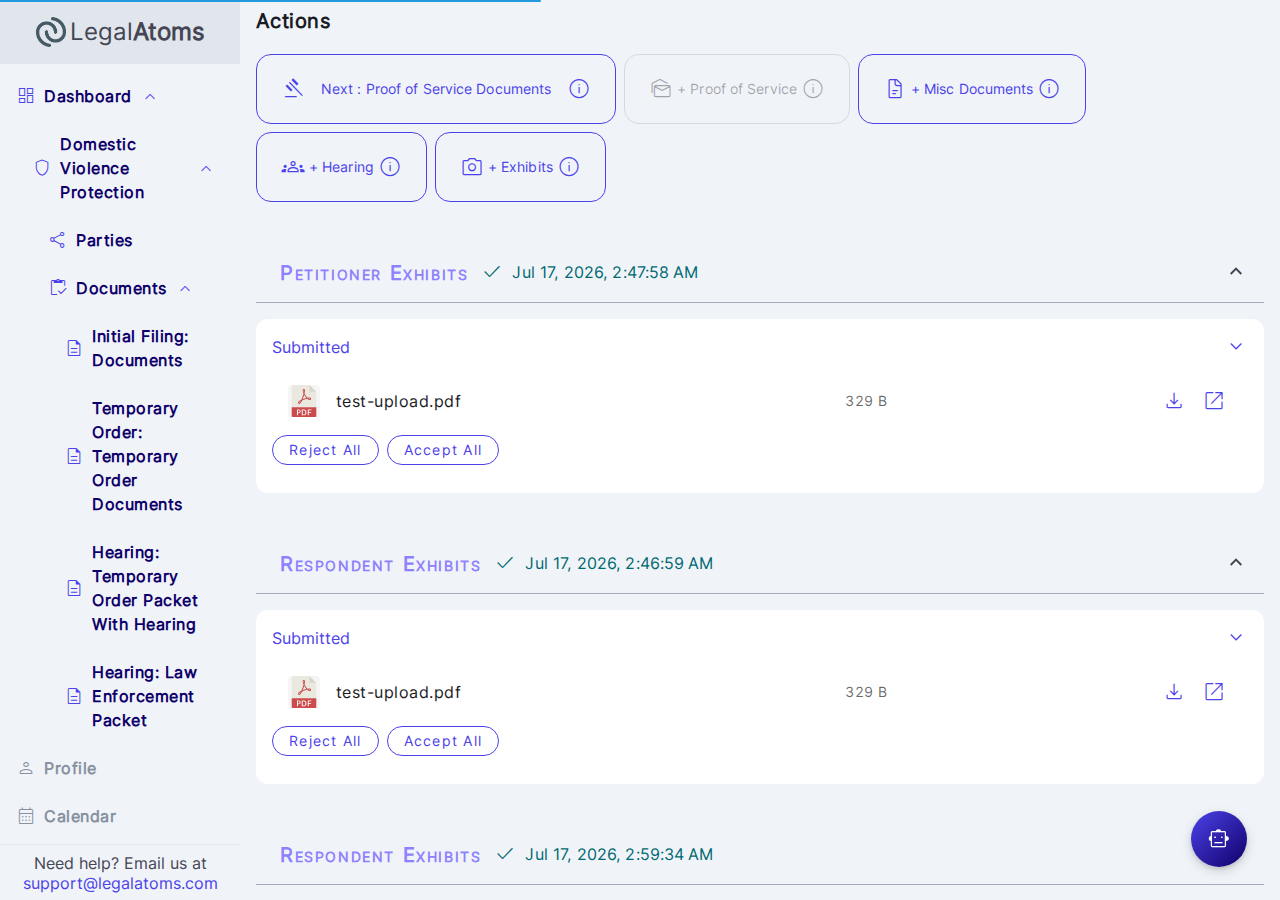
- Accepting a set makes it part of the case and shares it with the other party (and their attorney).
- Rejecting a set keeps it private to the submitting side; it is never shared with the other party.
- Only the clerk can accept or reject.
What each professional can do
- Clerk — reviews both sides’ submitted exhibits, identifies which party each set belongs to (labeled Petitioner or Respondent), and accepts or rejects each set.
- Petitioner’s attorney — submits and manages exhibits on the petitioner’s behalf, sees the petitioner’s own exhibits at every status, and sees the respondent’s exhibits once the clerk has accepted them.
- Respondent’s attorney — submits and manages exhibits on the respondent’s behalf, sees the respondent’s own exhibits at every status, and sees the petitioner’s exhibits once the clerk has accepted them.
An attorney has the same access as the client they represent. The steps to add and submit a set are the same as the party’s — see the client guides Submitting Exhibits as a Petitioner and Submitting Exhibits as a Respondent.
Before a set can be submitted
The + Exhibits option appears (for the party or their attorney) only when:
- the case was filed through LegalAtoms,
- the initial filing has been submitted, and
- the hearing has not started yet.
Once the hearing starts, no new exhibits can be uploaded or submitted.