
Statement Builder
Updated
Recently updated on July 4th, 2026 at 08:44 pm
The statement builder will help ensure the accuracy of the petition.
- The single questionnaire is dedicated to the statement so there are no other questions.
- The screen is divided into two panels: – The user/client will enter the information on the left side of the screen. – As the user enters the appropriate information, they or you will see the statement being crafted on the right side.
- This is done by providing a summary.
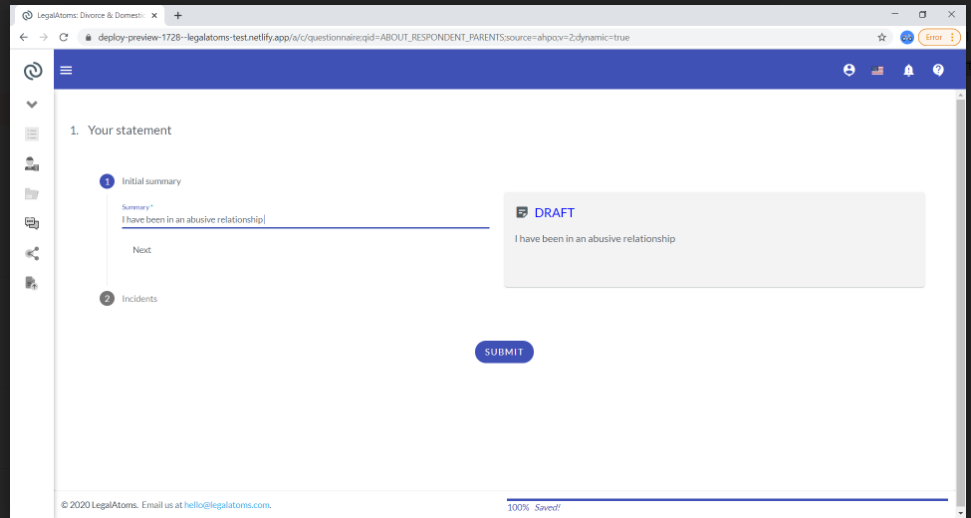
Steps of Incident
- The user then will enter a list of the incidents.
- For each incident, the following will need to be entered:
- A date
- Whether the date is approximate
- What happened
- How it made them feel
- Who else saw it
- And if they have any pictures or messages etc
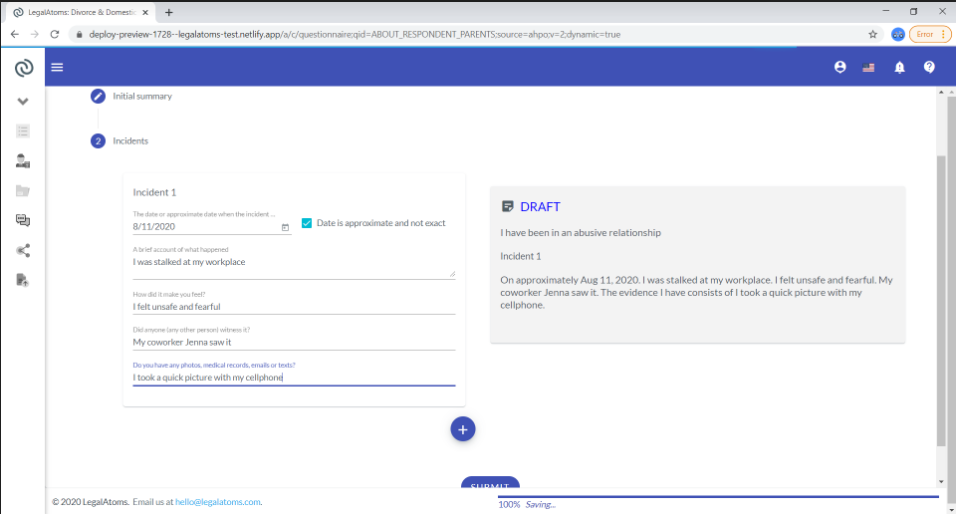
After the user has filled in everything they would then be able to edit the final copy before they submit it.